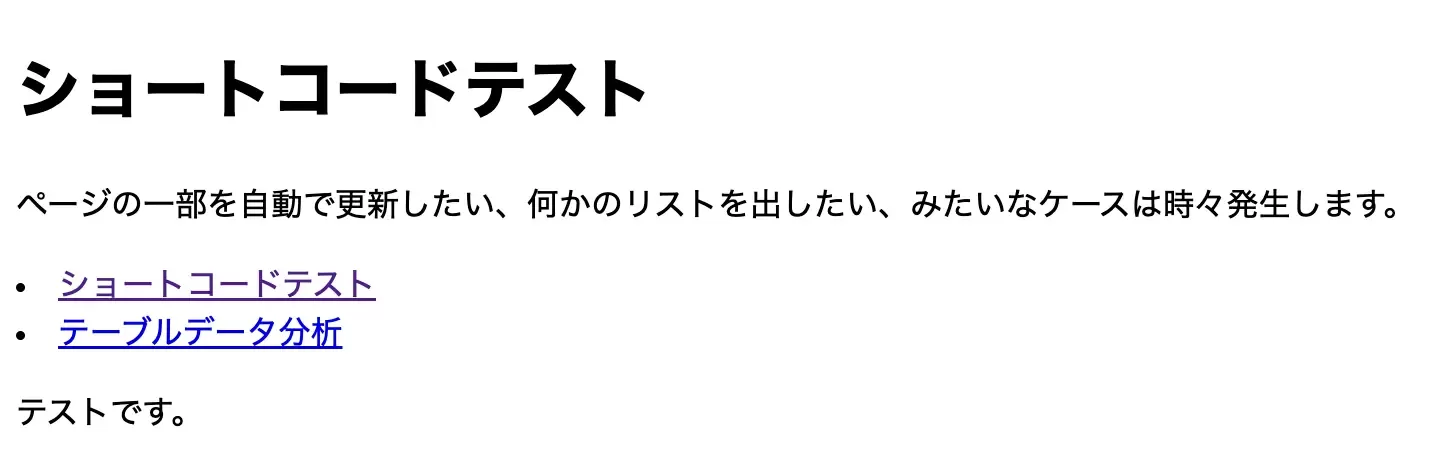
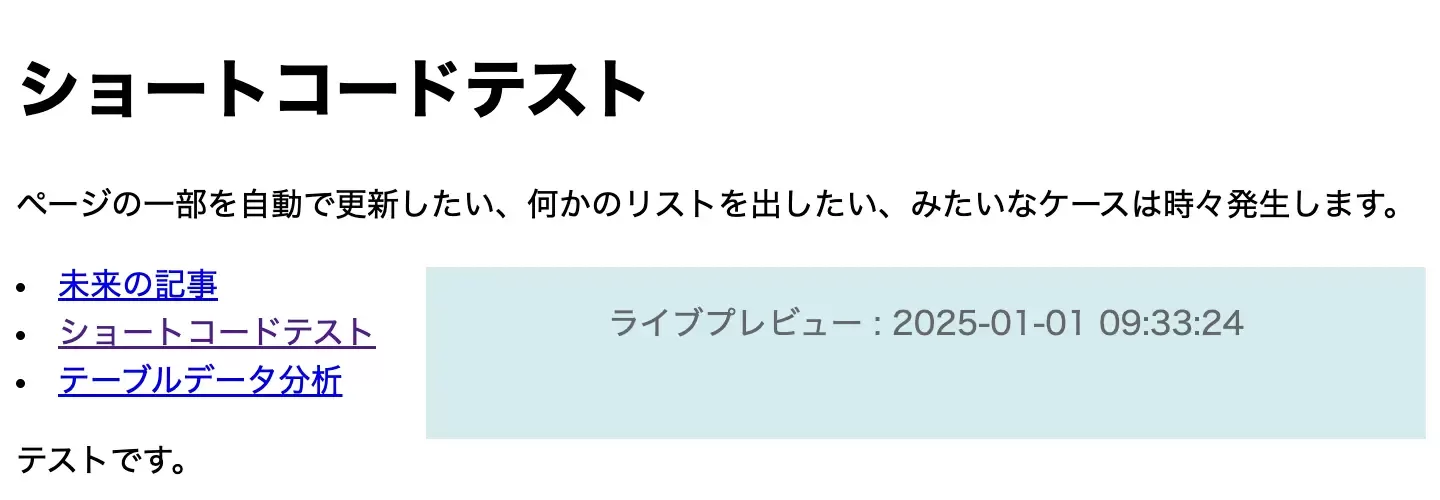
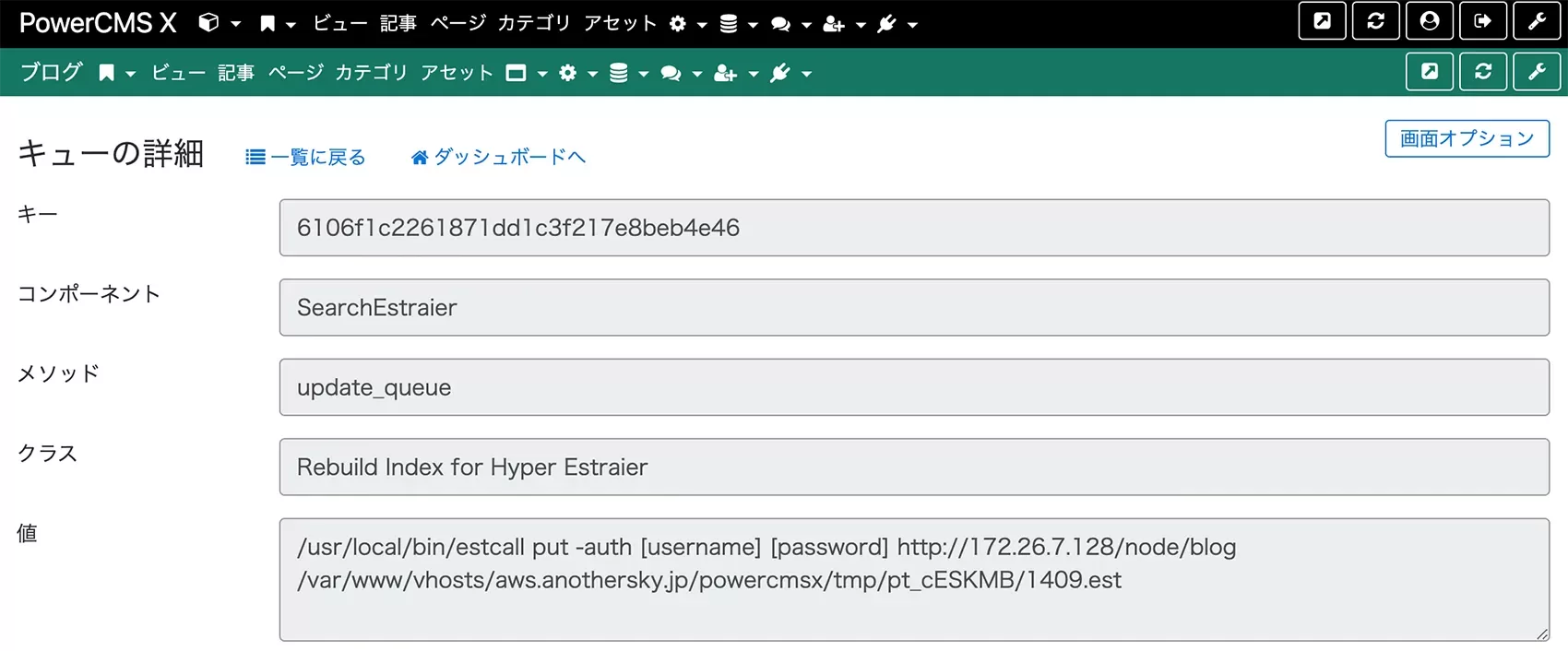
<?xml version="1.0"?>
<feed xmlns="http://www.w3.org/2005/Atom">

 <title>Anothersky</title>
 <subtitle>Webのフロントエンドを中心とした技術情報や、趣味の旅行・旅客機撮影に関する話題のブログです。</subtitle>
 <link href="https://www.anothersky.jp/" />
 <link type="application/atom+xml" rel="self" href="https://www.anothersky.jp/atom.xml" />
 <updated>2026-04-11T23:35:30+09:00</updated>
 <id>https://www.anothersky.jp/atom.xml</id>
 <author>
 <name>Hideki Abe</name>
 <email>hideki.abe@anothersky.jp</email>
 </author>

  <entry>
 <id>https://www.anothersky.jp/2026/03/custom-rebuild-next-prev.html</id>
 <link type="text/html" rel="alternate" href="https://www.anothersky.jp/2026/03/custom-rebuild-next-prev.html" />
 <title>PowerCMS Xで同一カテゴリ内の前後の記事を再構築する</title>
 <summary>「同じカテゴリ内で公開日が前後になる記事を再構築したい」場合、オブジェクトIDを渡すとPrototypeクラスのdelayed_publish_objsプロパティにオブジェクトをセットしてくれる独自タグを作成すると実現できます。</summary>
 <published>2026-03-04T19:05:00+09:00</published>
 <updated>2026-03-06T15:24:23+09:00</updated>
 <author>
 <name>Hideki Abe</name>
 <uri>https://www.anothersky.jp/</uri>
 </author>
 <content type="html"><![CDATA[
  <p>社内で質問を受けたのですが、例えば「同じカテゴリ内で公開日が前後になる記事を再構築したい」という場合にどうするか？という話です。</p>
<p>単純に日付ベースであれば<code>&lt;mt:entryprev&gt;</code>・<code>&lt;mt:entrynext&gt;</code>タグで記事オブジェクトは取得できますし、環境変数<code>{model_name}_publish_nextprev</code>（記事ならば<code>entry_publish_nextprev</code>）で前後のオブジェクトが再構築されるようになります。しかし「同じカテゴリ内で」と条件が付くとこれらは使えません。</p>
<p>「同じカテゴリ内で公開日が前になる記事」を取得するタグは下記のように書けます。ここでオブジェクトIDが取れますね。「次になる記事」の場合は<code>sort_order="ascend"</code>にします。</p>
<pre class="language-html"><code>&lt;mt:entries categories=&quot;AI&quot; sort_by=&quot;published_on&quot; sort_order=&quot;descend&quot; limit=&quot;1&quot; offset=&quot;1&quot; cols=&quot;id,title&quot;&gt;
  &lt;li&gt;&lt;mt:entryid /&gt;: &lt;mt:entrytitle /&gt;&lt;/li&gt;
&lt;/mt:entries&gt;</code></pre>
<p>環境変数<code>{model_name}_publish_nextprev</code>の実装をシンプルに言うと、該当するオブジェクトを取得してPrototypeクラスの<code>delayed_publish_objs</code>プロパティにセットしているだけでした。そこで、<code>&lt;mt:adddelayedpublish ids="1,2"&gt;</code>のように再構築をしたいオブジェクトのidを渡すとそれらを<code>delayed_publish_objs</code>プロパティにセットする独自のファンクションタグを実装しました。下記のような簡単な実装です。</p>
<pre class="language-php"><code>public function function_add_delayed_publish_objs( $args, $ctx ) {
    $app = $ctx-&gt;app;

    // 動的生成やポップアップの再構築の場合は処理しない
    if ( $app-&gt;id !== &#039;Prototype&#039; || $app-&gt;mode === &#039;rebuild_phase&#039; ) {
        return &#039;&#039;;
    }

    // ids指定がない場合は処理しない
    if ( ! array_key_exists( &#039;ids&#039;, $args ) ) {
        return &#039;&#039;;;
    }

    if ( is_array( $args[&#039;ids&#039;] ) ) {
        // 変数の内容が配列の場合
        $ids = $args[&#039;ids&#039;];
    } else {
        // 変数の内容が単一文字ないしカンマ区切り文字列の場合
        $ids = explode( &#039;,&#039;, $args[&#039;ids&#039;] );
    }

    $model = $ctx-&gt;stash( &#039;current_context&#039; );
    $objs = $app-&gt;db-&gt;model( $model )-&gt;load( [ &#039;id&#039; =&gt; [ &#039;IN&#039; =&gt; $ids ] ] );
    foreach ( $objs as $obj ) {
        // 再構築対象としてオブジェクトを変数に詰める
        $app-&gt;delayed_publish_objs[ $obj-&gt;_model . &#039;_&#039; . $obj-&gt;id ] = $obj;
    }

    return &#039;&#039;;
}</code></pre>
<p>※ファンクションタグは空文字を返した方が良かったハズ。</p>
<p>前後の記事を呼び出すタグと独自タグを記事詳細ページに記述すると、目論見通り記事詳細ページが再構築されるようになりました。お試しあれ。</p>
<p>ちなみに<code>delayed_publish_objs</code>の処理は下記のようになっているので、編集した記事の前後のページが再構築される時に<code>&lt;mt:adddelayedpublish ids="n"&gt;</code>が処理されてさらに前後の記事が再構築される、というようなことはありませんでした。</p>
<pre class="language-php"><code>if ( ! empty ( $this-&gt;delayed_publish_objs ) ) {
    $delayed_publish_objs = $this-&gt;delayed_publish_objs;
    foreach ( $delayed_publish_objs as $delayed_obj ) {
        $this-&gt;publish_obj( $delayed_obj );
</code></pre>
 ]]></content>
 </entry>
  <entry>
 <id>https://www.anothersky.jp/2025/12/ai-plugin-gotcha.html</id>
 <link type="text/html" rel="alternate" href="https://www.anothersky.jp/2025/12/ai-plugin-gotcha.html" />
 <title>AIを利用してPowerCMS Xプラグイン開発をする時に少しハマったこと</title>
 <summary>AIが出力したコードによく`if ( empty( $obj-&gt;column_name ) )`のような記述が出てくるのですが、どうも上手く動いていないようなのです。なぜか調査してみました。</summary>
 <published>2025-12-08T06:00:00+09:00</published>
 <updated>2025-12-08T06:50:56+09:00</updated>
 <author>
 <name>Hideki Abe</name>
 <uri>https://www.anothersky.jp/</uri>
 </author>
 <content type="html"><![CDATA[
  <p>この記事は「<a href="https://adventar.org/calendars/12088">PowerCMS X Advent Calendar 2025</a>」の8日目の記事です。</p>
<p>今年は<a href="https://www.claude.com/ja-jp/product/claude-code">Claude Code</a>や<a href="https://cursor.com">Cursor</a>を利用してプラグイン開発を行う時間が激増しました。AIの進化には驚かされるばかりです。AIを利用しての所感は9月に書いた記事「<a href="/2025/09/ai-powercmsx-plugin-development.html">Claude CodeとCursorで実現するPowerCMS Xプラグイン開発の効率化</a>」にまとめていますので、こちらもご覧いただければと思います。</p>
<h2>プロパティのチェックでハマる</h2>
<p>さて、AIを利用した開発の中で少しハマったことがありますのでご紹介します。AIが出力したコードによく<code>if ( empty( $obj-&gt;column_name ) )</code>のような記述が出てくるのですが、どうも意図した結果になっていないようなのです。</p>
<p>例えば<code>$user-&gt;totp_enabled</code>が<code>1</code>（つまりユーザーモデルのとあるオブジェクトのtotp_enabledカラムにチェックが入っている状態）だとして、下記の出力結果はどうなるでしょうか？</p>
<pre class="language-php"><code>var_dump( $user-&gt;totp_enabled );
echo &#039;&lt;br&gt;&#039;;

if ( $user-&gt;totp_enabled ) {
    echo &#039;Enabled&#039; . &#039;&lt;br&gt;&#039;;
} else {
    echo &#039;Not enabled&#039; . &#039;&lt;br&gt;&#039;;
}

if ( empty( $user-&gt;totp_enabled ) ) {
    echo &#039;Empty&#039; . &#039;&lt;br&gt;&#039;;
} else {
    echo &#039;Not empty&#039; . &#039;&lt;br&gt;&#039;;
}</code></pre>
<p>期待値は下記の通りだと思います。</p>
<pre class="language-plain"><code>string(1) "1"
Enabled
Not Empty</code></pre>
<p>しかし、実際は下記のように<code>Empty</code>が表示されます。あれれ？</p>
<pre class="language-plain"><code>string(1) "1"
Enabled
Empty</code></pre>
<p><img src="/assets/20251208_fig_01.webp" alt="画面キャプチャ：テストコードの処理結果をブラウザに表示した様子" width="610" height="180" loading="lazy"></p>
<h2>原因と対策</h2>
<p>AIに調査させると「PADOでは<code>__isset()</code>マジックメソッドが実装されていないため、<code>isset()</code>や<code>empty()</code>が正しく動作しません。」との回答でした。モデル編集画面にて自由に命名されたカラム名でデータベースの登録内容を取得できるようにはマジックメソッドを利用する必要があるのですが、<code>__get()</code>マジックメソッドのみ実装されているということですね。<code>$user-&gt;totp_enabled</code>を一度変数に入れるか、否定形で直接比較するようにしましょう。（わざわざ<code>empty()</code>を使わなくても…という話なのかもしれないのですが、そのことを論じると話が逸れるのでいったん置いておきます。）</p>
<figure>
<pre class="language-php"><code>$totp_enabled = $user->totp_enabled;

if ( empty( $totp_enabled ) ) {
    echo 'Empty' . '<br>';
} else {
    echo 'Not empty' . '<br>';
}</code></pre>
<figcaption>一度変数に入れる方式</figcaption>
</figure>
<figure>
<pre class="language-php"><code>if ( ! $user->totp_enabled ) {
    echo 'Empty' . '<br>';
} else {
    echo 'Not empty' . '<br>';
}</code></pre>
<figcaption>否定型を利用する方式</figcaption>
</figure>
<p>Claude Codeに「この事実をCLAUDE.mdにメモしておいて」とお願いすると以下のようになりました。これからはこの指示に従って実装をしてくれるはずです。</p>
<pre class="language-plain"><code>#### プロパティの評価
PADOのオブジェクトを直接`empty`等で評価しないでください。PADOでは`__isset()`マジックメソッドが実装されていないため、`isset()`や`empty()`が正しく動作しません。

```php
// ❌ 正しく動作しない
if (empty($user-&gt;totp_enabled)) { }

// ✅ 一度変数に代入してから評価
$totp_enabled = $user-&gt;totp_enabled;
if (empty($totp_enabled)) { }

// ✅ または否定形で直接比較
if (!$user-&gt;totp_enabled) { }
```</code></pre>
<h2>PADOに__issetマジックメソッドを実装してみると…</h2>
<p>オブジェクトや<a href="https://www.php.net/manual/ja/language.oop5.magic.php">マジックメソッド</a>は奥が深いですね。私ももっと知識を深めていかなければならないと感じました。</p>
<p>ひとまずClaude Codeに<code>__isset()</code>マジックメソッドの実装をお願いしてみると以下のようになりました。ただ、<code>__get()</code>マジックメソッドにも手を入れる必要があり（未定義プロパティへのアクセス警告を回避するため）、少し大きなアップデートになってしまいそうです。</p>
<figure>
<pre class="language-php"><code>/**
 * Check if a property is set.
 * Handles column prefix and relational properties.
 *
 * @param  string $col : Column name without prefix.
 * @return bool        : True if property exists.
 */
public function __isset ( string $col ): bool {
    $original = $col;
    $colprefix = $this-&gt;_colprefix;

    // Get all properties including dynamic ones
    $vars = get_object_vars( $this );

    // Check without prefix first
    if ( array_key_exists( $col, $vars ) ) {
        return true;
    }

    // Check with prefix
    if ( $colprefix ) {
        $prefixed_col = $colprefix . $col;
        if ( array_key_exists( $prefixed_col, $vars ) ) {
            return true;
        }
    }

    // Check for relational property (e.g., {property}_id)
    $rel_col = $original . &#039;_id&#039;;
    if ( array_key_exists( $rel_col, $vars ) ) {
        return true;
    }
    if ( $colprefix ) {
        $prefixed_rel_col = $colprefix . $rel_col;
        if ( array_key_exists( $prefixed_rel_col, $vars ) ) {
            return true;
        }
    }

    return false;
}</code></pre>
<figcaption>Claude Codeで生成した_isset()マジックメソッド</figcaption>
</figure>
<p><code>__isset()</code>マジックメソッドを実装したPADOを使うと、先のコードの実行結果は期待値が得られるようになりました。</p>
<pre class="language-plain"><code>string(1) "1"
Enabled
Not Empty</code></pre>
 ]]></content>
 </entry>
  <entry>
 <id>https://www.anothersky.jp/2025/11/natural-language-search-powercmsx.html</id>
 <link type="text/html" rel="alternate" href="https://www.anothersky.jp/2025/11/natural-language-search-powercmsx.html" />
 <title>AIを活用して“探せる”サイトへ ─ PowerCMS X × Elasticsearchで自然文検索を実現する</title>
 <summary>PowerCMS XとElasticsearchを連携できるようにすると共に、OpenAI Vector Embeddingsを活用することで、自然文で検索したり手作業で同義語を登録しなくても&quot;意味で探せる&quot;検索体験を実現しました。</summary>
 <published>2025-11-15T10:32:00+09:00</published>
 <updated>2026-02-17T16:50:12+09:00</updated>
 <author>
 <name>Hideki Abe</name>
 <uri>https://www.anothersky.jp/</uri>
 </author>
 <content type="html"><![CDATA[
 &lt;p&gt;PowerCMS Xと&lt;a href=&quot;https://www.elastic.co/jp/&quot;&gt;Elasticsearch&lt;/a&gt;を連携できるようにすると共に、&lt;a href=&quot;https://platform.openai.com/docs/guides/embeddings&quot;&gt;OpenAI Vector Embeddings&lt;/a&gt;を活用することで、自然文で検索したり手作業で同義語を登録しなくても&quot;意味で探せる&quot;検索体験を実現しました。ユーザーが「PowerCMS Xのテンプレートの書き方を知りたい」といった自然文で検索しても、最適なページを自動で見つけられるようになります。&lt;/p&gt;
&lt;p&gt;&lt;a href=&quot;https://powercmsx.jp/&quot;&gt;PowerCMS X公式サイト&lt;/a&gt;のデータを登録済の下記デモサイトにて検索をお試し頂けます。&lt;/p&gt;
&lt;ul&gt;
  &lt;li&gt;Elasticsearch + OpenAI Embeddingsデモページ（現在非公開）&lt;/li&gt;
&lt;/ul&gt;
&lt;h2&gt;背景：従来のサイト内検索の課題&lt;/h2&gt;
&lt;p&gt;これまでの全文検索は「文字の一致」が中心でした。たとえば「採用実績」と検索（PowerCMS Xの採用実績を検索）しても「導入事例」はヒットしません。同義語を増やすには検索機能やCMSの機能を利用して同義語を編集し続ける必要がありました。さらに、ユーザーの中には「〜を知りたい」「〜のやり方を教えて」など会話のような自然文で検索する場合もあり、単純な文字一致では拾えないケースも見受けられました。&lt;/p&gt;
&lt;h2&gt;解決策：Elasticsearch × OpenAI Vector Embeddingsによる意味検索&lt;/h2&gt;
&lt;p&gt;記事本文をOpenAIの&lt;code&gt;text-embedding-3-small&lt;/code&gt;モデルでベクトル化し、Elasticsearchに備わったベクトルデータを保存する&lt;code&gt;dense_vector&lt;/code&gt;型フィールドに保存します。「&lt;a href=&quot;https://www.elastic.co/jp/what-is/vector-search&quot;&gt;ベクトル検索とは?機械学習で向上する検索 | Elastic&lt;/a&gt;」等に詳しい説明があるのですが、ベクトルを利用すると意味とコンテキストを数値表現に変換し、埋め込み空間における相互の距離で類似性が分かるようになります。&lt;/p&gt;
&lt;figure&gt;
&lt;pre&gt;&lt;code class=&quot;language-json&quot;&gt;&quot;embedding&quot;: {
  &quot;type&quot;: &quot;dense_vector&quot;,
  &quot;dims&quot;: 1536,
  &quot;index&quot;: true,
  &quot;similarity&quot;: &quot;cosine&quot;
}&lt;/code&gt;&lt;/pre&gt;
&lt;figcaption&gt;Elasticsearchのマッピングで、1536次元のベクトルを保存する例&lt;/figcaption&gt;
&lt;/figure&gt;
&lt;p&gt;検索時もOpenAIの&lt;code&gt;text-embedding-3-small&lt;/code&gt;モデルで検索クエリをベクトル化し、「意味の近さ」をコサイン類似度でスコア化して検索を実行します。&lt;/p&gt;
&lt;figure&gt;
&lt;pre&gt;&lt;code class=&quot;language-php&quot;&gt;$response = $openai-&amp;gt;embeddings()-&amp;gt;create([
    &amp;#039;model&amp;#039; =&amp;gt; &amp;#039;text-embedding-3-small&amp;#039;,
    &amp;#039;input&amp;#039; =&amp;gt; $queryText,
]);
$embedding = $response[&amp;#039;data&amp;#039;][0][&amp;#039;embedding&amp;#039;];&lt;/code&gt;&lt;/pre&gt;
&lt;figcaption&gt;検索クエリのベクトルとドキュメントのベクトルの類似度を計算する例&lt;/figcaption&gt;
&lt;/figure&gt;
&lt;dl class=&quot;points&quot;&gt;
&lt;dt&gt;ポイント&lt;/dt&gt;
&lt;dd&gt;「導入実績」と「導入事例」のような言い回しの違いも、AIが自動で理解します。手作業で同義語を登録しなくても、&lt;strong&gt;意味の近いページ&lt;/strong&gt;を上位に表示できるようになります。&lt;/dd&gt;
&lt;/dl&gt;
&lt;h3&gt;Elasticsearchのインデックス登録方法&lt;/h3&gt;
&lt;p&gt;Elasticsesarchのインデックス登録処理は以前「&lt;a href=&quot;/2024/03/pcmsx-elasticsearch.html&quot;&gt;PowerCMS Xに登録した記事をElasticsearchで検索する&lt;/a&gt;」にてご紹介したバルク登録ツールを調整して利用しています。今後はPowerCMS Xで各モデルのオブジェクトを更新した際に随時インデックスに反映する仕組みを作る必要があると考えています。&lt;br&gt;
&lt;img src=&quot;/assets/20251115_fig_02.webp&quot; alt=&quot;KibanaでElasticsearchのインデックスを表示した画面&quot; loading=&quot;lazy&quot;&gt;&lt;/p&gt;
&lt;h2&gt;実装のポイント&lt;/h2&gt;
&lt;h3&gt;自然文の前処理：MeCabで主題語を抽出&lt;/h3&gt;
&lt;p&gt;「テンプレートの書き方を知りたい」のような自然文から余分な表現を除去し、形態素解析で主題語にまとめることで、Embeddingの精度を高めました。Embeddingは文章全体を理解できますが、ノイズの多い日本語自然文では精度が落ちることがあります。そのため、主題語を抽出して意図がブレないクエリを作ります。Claude Codeに実装してもらいました。&lt;/p&gt;
&lt;figure&gt;
&lt;pre&gt;&lt;code class=&quot;language-php&quot;&gt;public function normalizeForEmbedding(string $text): string
{
    // 敬語・依頼語の削除
    $patterns = [
        &amp;#039;/(を知りたい|について|とは|できますか|お願い|教えて|欲しい)/u&amp;#039;,
        &amp;#039;/(してください|していただけ|しても良い|しても大丈夫)/u&amp;#039;,
        &amp;#039;/(したい|方法|やり方|手順)/u&amp;#039;,
    ];
    foreach ($patterns as $pattern) {
        $text = preg_replace($pattern, &amp;#039;&amp;#039;, $text);
    }
    $text = trim($text);

    // MeCabによる形態素解析
    $cmd = sprintf(
        &amp;#039;echo %s | mecab --node-format=&amp;quot;%%m\t%%f[6]\t%%f[0]\n&amp;quot; --eos-format=&amp;quot;&amp;quot;&amp;#039;,
        escapeshellarg($text)
    );
    exec($cmd, $output);

    $words = [];

    foreach ($output as $line) {
        [, $base, $pos] = array_pad(explode(&amp;quot;\t&amp;quot;, $line), 3, &amp;#039;&amp;#039;);

        // より厳密な品詞フィルタリング
        if (
            !$base || $base === &amp;#039;*&amp;#039; ||
            preg_match(&amp;#039;/^(助詞|助動詞|記号|接続詞|連体詞|感動詞|接頭詞)$/u&amp;#039;, $pos) ||
            in_array($base, [&amp;#039;です&amp;#039;, &amp;#039;ます&amp;#039;, &amp;#039;ください&amp;#039;, &amp;#039;下さい&amp;#039;, &amp;#039;おる&amp;#039;, &amp;#039;おります&amp;#039;, &amp;#039;くださいませ&amp;#039;, &amp;#039;こと&amp;#039;, &amp;#039;もの&amp;#039;, &amp;#039;ため&amp;#039;, &amp;#039;よう&amp;#039;])
        ) {
            continue;
        }

        // 1文字の名詞は除外（「の」「が」など）
        if (mb_strlen($base) === 1 &amp;amp;&amp;amp; $pos === &amp;#039;名詞&amp;#039;) {
            continue;
        }

        $words[] = $base;
    }

    $words = array_unique($words);
    return implode(&amp;#039; &amp;#039;, $words);
}
// 「テンプレートの書き方を知りたい」→「テンプレート 書く」&lt;/code&gt;&lt;/pre&gt;
&lt;figcaption&gt;自然文の前処理例：不要表現を削除し、MeCabで主題語を抽出&lt;/figcaption&gt;
&lt;/figure&gt;
&lt;h2&gt;BM25を併用したハイブリッド検索にする&lt;/h2&gt;
&lt;p&gt;ベクトル検索のみだと少し意図が違うデータが入ってくるように思いました。ChatGPTと議論をし、文書の重要度を評価するための強力な手法である「BM25（関連性を決定するランキングアルゴリズム）」も取り入れました。ベクトル検索は「意味の近さ」に強い一方、意図と少しずれたページも拾いがちです。一方、BM25は「検索語に近い文字列」を評価するのが得意です。
BM25とベクトル検索を組み合わせた&lt;a href=&quot;https://www.elastic.co/jp/what-is/hybrid-search&quot;&gt;ハイブリッド検索&lt;/a&gt;にすることで「意図（意味）」と「文字の一致」の両方を満たす結果が得られ、より精度の高い検索結果を得ることができる感触が得られました。&lt;/p&gt;
&lt;figure&gt;
&lt;pre&gt;&lt;code class=&quot;language-php&quot;&gt;// スコアの重み付け (合計が意味を持つように調整)
$bm25_weight = 0.25;    // BM25(キーワードマッチ)の重み
$vector_weight = 0.75;  // ベクトル検索(意味的類似度)の重み

$searchParams = [
    &amp;#039;index&amp;#039; =&amp;gt; &amp;#039;powercmsx_site_v2&amp;#039;,
    &amp;#039;_source&amp;#039; =&amp;gt; [&amp;#039;title&amp;#039;, &amp;#039;url&amp;#039;, &amp;#039;content&amp;#039;, &amp;#039;excerpt&amp;#039;, &amp;#039;model&amp;#039;, &amp;#039;published_on&amp;#039;],
    &amp;#039;body&amp;#039; =&amp;gt; [
        &amp;#039;query&amp;#039; =&amp;gt; [
            &amp;#039;script_score&amp;#039; =&amp;gt; [
                // 🔹 ここでまずBM25検索（タイトルと本文にマッチするものを絞る）
                &amp;#039;query&amp;#039; =&amp;gt; [
                    &amp;#039;bool&amp;#039; =&amp;gt; [
                        &amp;#039;must&amp;#039; =&amp;gt; [
                            [
                                &amp;#039;multi_match&amp;#039; =&amp;gt; [
                                    &amp;#039;query&amp;#039;    =&amp;gt; $queryText,
                                    &amp;#039;fields&amp;#039;   =&amp;gt; [&amp;#039;title^2&amp;#039;, &amp;#039;content&amp;#039;],
                                    &amp;#039;operator&amp;#039; =&amp;gt; &amp;#039;or&amp;#039;,
                                    &amp;#039;minimum_should_match&amp;#039; =&amp;gt; &amp;#039;75%&amp;#039;,
                                ]
                            ],
                            [&amp;#039;exists&amp;#039; =&amp;gt; [&amp;#039;field&amp;#039; =&amp;gt; &amp;#039;embedding&amp;#039;]],
                        ]
                    ]
                ],
                &amp;#039;script&amp;#039; =&amp;gt; [
                    // 🔹 BM25スコアとベクトル類似度をブレンド
                    &amp;#039;source&amp;#039; =&amp;gt; &amp;quot;
                        double base = {$bm25_weight} * _score + {$vector_weight} * cosineSimilarity(params.query_vector, &amp;#039;embedding&amp;#039;);
                        return base;
                    &amp;quot;,
                    &amp;#039;params&amp;#039; =&amp;gt; [
                        &amp;#039;query_vector&amp;#039; =&amp;gt; $embedding,
                    ],
                ],
            ],
        ],

        &amp;#039;sort&amp;#039; =&amp;gt; [
            [&amp;#039;_score&amp;#039; =&amp;gt; [&amp;#039;order&amp;#039; =&amp;gt; &amp;#039;desc&amp;#039;]],
            [&amp;#039;published_on&amp;#039; =&amp;gt; [&amp;#039;order&amp;#039; =&amp;gt; &amp;#039;desc&amp;#039;]]
        ],

        &amp;#039;size&amp;#039; =&amp;gt; empty($args[&amp;#039;limit&amp;#039;]) ? 10 : (int)$args[&amp;#039;limit&amp;#039;],
    ],
];

$response = $client-&amp;gt;search($searchParams);&lt;/code&gt;&lt;/pre&gt;
&lt;figcaption&gt;BM25とベクトル検索を組み合わせたハイブリッド検索の例&lt;/figcaption&gt;
&lt;/figure&gt;
&lt;h2&gt;実際の効果&lt;/h2&gt;
&lt;p&gt;「採用実績」で「導入事例」が自然にヒットするなど、ユーザーがどんな言葉で検索しても&lt;strong&gt;「ちゃんと見つかる」&lt;/strong&gt;感覚が得られました。&lt;/p&gt;
&lt;p&gt;AIによる意味検索は非常に強力ですが、魔法ではありません。ベクトル化された情報の素材はあくまでコンテンツ本文です。記事が短すぎたり内容が抽象的すぎると、意味ベクトルの学習もうまく機能しません。&lt;/p&gt;
&lt;dl class=&quot;points&quot;&gt;
&lt;dt&gt;ポイント&lt;/dt&gt;
&lt;dd&gt;検索精度を上げるには、AIの前にまず&lt;strong&gt;“伝わるコンテンツ”&lt;/strong&gt;を作ろう。&lt;/dd&gt;
&lt;/dl&gt;
&lt;h2&gt;発展：チャット型QA（RAG構成）へ&lt;/h2&gt;
&lt;p&gt;さらに一歩進めて、Elasticsearchで検索した内容をOpenAIに要約させる &lt;strong&gt;RAG（Retrieval-Augmented Generation ─ 検索拡張生成）&lt;/strong&gt; に対応しました。例えば「アクセシビリティチェックはできますか？」のような質問に対し、関連ドキュメントをもとにAIが自然文で回答します。&lt;/p&gt;
&lt;figure&gt;
&lt;pre&gt;ユーザー質問
      ↓
Normalize（MeCab）
      ↓
Embedding生成（OpenAI）
      ↓
Elasticsearch検索（Hybrid）
      ↓
上位5件をLLMに与える
      ↓
OpenAI(gpt-4o-mini) が自然文で回答&lt;/pre&gt;
&lt;figcaption&gt;RAG構成のチャット型QAの流れ&lt;/figcaption&gt;
&lt;/figure&gt;
&lt;p&gt;&lt;img src=&quot;/assets/20251115_fig_01.png&quot; alt=&quot;チャット型検索を実行した画面&quot; width=&quot;1245&quot; height=&quot;1150&quot;&gt;&lt;/p&gt;
&lt;h3&gt;PowerCMS Xでの実装例&lt;/h3&gt;
&lt;figure&gt;
&lt;pre&gt;&lt;code class=&quot;language-php&quot;&gt;public function elasticsearchChatFunction($args, $ctx)
{
    $queryText = $args[&amp;#039;query&amp;#039;] ?? &amp;#039;&amp;#039;;
    if (!$queryText) {
        return &amp;#039;質問を入力してください。&amp;#039;;
    }

    $client = ClientBuilder::create()
        -&amp;gt;setHosts([&amp;#039;https://elastic.example.jp:9200&amp;#039;])
        -&amp;gt;setApiKey($_ENV[&amp;#039;ELASTICSEARCH_API_KEY&amp;#039;])
        -&amp;gt;build();

    $openai = OpenAI::client($_ENV[&amp;#039;OPENAI_API_KEY&amp;#039;]);

    // RAG用に取得するドキュメント数
    $maxDocs = 5;

    // 1️⃣ Embedding生成
    $normalizedQueryText = $this-&amp;gt;normalizeForEmbedding($queryText);
    $emb = $openai-&amp;gt;embeddings()-&amp;gt;create([
        &amp;#039;model&amp;#039; =&amp;gt; &amp;#039;text-embedding-3-small&amp;#039;,
        &amp;#039;input&amp;#039; =&amp;gt; $normalizedQueryText,
    ]);
    $queryVec = $emb[&amp;#039;data&amp;#039;][0][&amp;#039;embedding&amp;#039;];

    // 2️⃣ Elasticsearchから関連文書を取得
    $searchParams = [
        &amp;#039;index&amp;#039; =&amp;gt; &amp;#039;powercmsx_site_v2&amp;#039;,
        &amp;#039;_source&amp;#039; =&amp;gt; [&amp;#039;title&amp;#039;, &amp;#039;url&amp;#039;, &amp;#039;content&amp;#039;],
        &amp;#039;body&amp;#039; =&amp;gt; [
            &amp;#039;query&amp;#039; =&amp;gt; [
                &amp;#039;script_score&amp;#039; =&amp;gt; [
                    &amp;#039;query&amp;#039; =&amp;gt; [
                        // 🔹 ここでまずBM25検索（タイトルと本文にマッチするものを絞る）
                        &amp;#039;multi_match&amp;#039; =&amp;gt; [
                            &amp;#039;query&amp;#039;    =&amp;gt; $normalizedQueryText,
                            &amp;#039;fields&amp;#039;   =&amp;gt; [&amp;#039;title^2&amp;#039;, &amp;#039;content&amp;#039;],
                            &amp;#039;operator&amp;#039; =&amp;gt; &amp;#039;or&amp;#039;,
                            &amp;#039;minimum_should_match&amp;#039; =&amp;gt; &amp;#039;70%&amp;#039;,
                        ]
                    ],
                    &amp;#039;script&amp;#039; =&amp;gt; [
                        // 🔹 BM25スコアとベクトル類似度をブレンド
                        &amp;#039;source&amp;#039; =&amp;gt; &amp;quot;
                            double bm25 = _score;
                            double vector = cosineSimilarity(params.query_vector, &amp;#039;embedding&amp;#039;);
                            // ベクトルの影響を控えめ（15%程度）
                            double hybrid = (0.85 * bm25) + (0.15 * vector * bm25);
                            return hybrid;
                        &amp;quot;,
                        &amp;#039;params&amp;#039; =&amp;gt; [
                            &amp;#039;query_vector&amp;#039; =&amp;gt; $queryVec,
                        ],
                    ],
                ],
            ],
            &amp;#039;sort&amp;#039; =&amp;gt; [
                [&amp;#039;_score&amp;#039; =&amp;gt; [&amp;#039;order&amp;#039; =&amp;gt; &amp;#039;desc&amp;#039;]],
                [&amp;#039;published_on&amp;#039; =&amp;gt; [&amp;#039;order&amp;#039; =&amp;gt; &amp;#039;desc&amp;#039;]]
            ],
            &amp;#039;size&amp;#039; =&amp;gt; $maxDocs,
        ],
    ];
    $res = $client-&amp;gt;search($searchParams);
    $hits = $res[&amp;#039;hits&amp;#039;][&amp;#039;hits&amp;#039;] ?? [];

    if (empty($hits)) {
        return &amp;#039;該当する情報が見つかりませんでした。&amp;#039;;
    }

    // 3️⃣ LLMに要約させて回答生成
    $context = &amp;#039;&amp;#039;;
    foreach ($hits as $h) {
        $src = $h[&amp;#039;_source&amp;#039;];
        $context .= &amp;quot;タイトル: {$src[&amp;#039;title&amp;#039;]}\n本文: {$src[&amp;#039;content&amp;#039;]}\nURL: {$src[&amp;#039;url&amp;#039;]}\n\n&amp;quot;;
    }

    $developerPrompt = &amp;lt;&amp;lt;&amp;lt;DEVELOPER
あなたはPowerCMS Xサイトの賢いチャットボットです。
以下のルールに従って回答してください:
- 提供された参照情報を基に、正確に答えてください
- もし回答中に見出しを付ける必要がある場合はh2タグ（## 見出し）から使用してください。（見出しは必須ではありません。）
- URLで誘導できる場合は&amp;lt;a target=&amp;quot;_blank&amp;quot; href=&amp;quot;URL&amp;quot;&amp;gt;リンク&amp;lt;/a&amp;gt;を張ってください（リンク先のタイトルが入るのが望ましいです）
- わからない場合は「ごめんなさい、わかりません」と答えてください
- 回答は日本語で行ってください
DEVELOPER;

    $userPrompt = &amp;lt;&amp;lt;&amp;lt;USER
【参照情報】
$context

【質問】
$queryText
USER;

    $chat = $openai-&amp;gt;chat()-&amp;gt;create([
        &amp;#039;model&amp;#039; =&amp;gt; &amp;#039;gpt-4o-mini&amp;#039;,
        &amp;#039;messages&amp;#039; =&amp;gt; [
            [&amp;#039;role&amp;#039; =&amp;gt; &amp;#039;system&amp;#039;, &amp;#039;content&amp;#039; =&amp;gt; $developerPrompt],
            [&amp;#039;role&amp;#039; =&amp;gt; &amp;#039;user&amp;#039;, &amp;#039;content&amp;#039; =&amp;gt; $userPrompt]
        ]
    ]);
    $answer = trim($chat[&amp;#039;choices&amp;#039;][0][&amp;#039;message&amp;#039;][&amp;#039;content&amp;#039;]);

    // 4️⃣ HTML整形(Markdown → HTML変換)
    //    Markdown形式のテキストをHTMLに変換する独自メソッドです
    $html = $this-&amp;gt;convertMarkdownToHtml($answer);
    return $html;
}&lt;/code&gt;&lt;/pre&gt;
&lt;figcaption&gt;Elasticsearchで検索した内容をOpenAIに要約させるRAG構成の例&lt;/figcaption&gt;
&lt;/figure&gt;
&lt;h2&gt;まとめ&lt;/h2&gt;
&lt;ul&gt;
  &lt;li&gt;PowerCMS X × Elasticsearch × OpenAI Embeddingで自然文検索を実現しました&lt;/li&gt;
  &lt;li&gt;手作業で同義語を登録しなくても、AIが意味を理解して検索できます&lt;/li&gt;
  &lt;li&gt;MeCab前処理やBM25の併用で検索結果の品質を最適化しました&lt;/li&gt;
  &lt;li&gt;「言葉」ではなく「意図」で探す検索体験を提供します&lt;/li&gt;
  &lt;li&gt;RAG対応で、検索した根拠から自然文のチャット回答が可能になりました&lt;/li&gt;
&lt;/ul&gt;
&lt;p&gt;これからもユーザーの意図に寄り添った検索体験が提供できるように研究していきたいと思います。&lt;/p&gt;  ]]></content>
 </entry>
  <entry>
 <id></id>
 <link type="text/html" rel="alternate" href="" />
 <title>AI</title>
 <summary></summary>
 <published>2025-09-07T07:02:00+09:00</published>
 <updated>2025-09-07T07:02:48+09:00</updated>
 <author>
 <name>Hideki Abe</name>
 <uri>https://www.anothersky.jp/</uri>
 </author>
 <content type="html"><![CDATA[
   ]]></content>
 </entry>
  <entry>
 <id>https://www.anothersky.jp/2025/09/ai-powercmsx-plugin-development.html</id>
 <link type="text/html" rel="alternate" href="https://www.anothersky.jp/2025/09/ai-powercmsx-plugin-development.html" />
 <title>Claude CodeとCursorで実現するPowerCMS Xプラグイン開発の効率化</title>
 <summary>最近Claude CodeやCursorを用いてPowerCMS Xのプラグイン開発を行っています。生成AIにより効率化を図ることができたところをご紹介します。</summary>
 <published>2025-09-06T18:30:00+09:00</published>
 <updated>2025-09-07T07:38:53+09:00</updated>
 <author>
 <name>Hideki Abe</name>
 <uri>https://www.anothersky.jp/</uri>
 </author>
 <content type="html"><![CDATA[
  <p>昨年秋頃からChatGPTは使用していたのですが、他の生成AIはなかなか試すことができずにいました。「本当にAIでコードが書けるのかな？」という疑いの気持ちが強かったからだと思います。しかし、今年の6月頃から<a href="https://cursor.com/ja">Cursor</a>・<a href="https://www.anthropic.com/claude-code">Claude Code</a>を使ってみたところ、「これはすごい！」とすっかりハマってしまいました。</p>
<p>そこからPowerCMS Xの開発においても積極的に生成AIを使った今年の夏でした。この夏を振り返りつつ、生成AIを活用したPowerCMS Xプラグイン開発の現況について少しお伝えしたいと思います。<br>
<img src="/assets/20250906_fig_01.webp" alt="Claude Codeでパスキー認証処理のプラグイン実装をしている様子"></p>
<h2>プラグインのコードには2つの要素がある</h2>
<h3>CMSによらない一般的な処理</h3>
<p>例えばImage MagickやGDを用いた画像変換、パスキー認証処理などPowerCMS X以外でもコードの内容が変わらないごく一般的な処理を指します。このような処理は生成AIに適切なコンテキスト設定と指示を出すだけで、なかなかの精度で実装を行ってくれます。</p>
<h3>CMS独特の処理</h3>
<p>例えばPADOを用いた記事の抽出やログ・セッションの保存など、PowerCMS X独自のクラス・メソッドを用いて実装する必要のある処理です。生成AIがプロジェクト内のファイルを参照して似た実装をしてくれますが、学習量が少ないこともあってかどうしても生成されたコードの手直しが必要になるケースが多いと感じます。今後CLAUDE.md等を活用してAIにルールを伝え、精度向上を図っていきたいと考えています。</p>
<h2>生成AIを活用したプラグイン開発の例</h2>
<ul>
<li>パスキー認証処理</li>
<li>アセットにアップロードした画像を1枚の画像にまとめる処理</li>
<li>アップロードしたファイルの検証処理</li>
<li>SaaSサービス用のユーザー・ワークスペース登録処理</li>
</ul>
<p>特にパスキー認証処理を実現するプラグインは、ほぼ全てClaude Codeのプロンプトに指示するだけで開発し、人間はほとんどコードを記述していません。その他のプラグインはメソッド名を少し書いてコンテキストを整えた上で指示を出し、目的の機能を実装してもらうようにしました。  </p>
<h2>生成AIにより効率化を図ることができたところ</h2>
<h3>AIによる補完やリファクタリング</h3>
<p>Cursorによる補完は強力です。人間の思考を先読みをしてコードを提案してくれるのが本当に楽です。変数名を変えた時なども変更が必要な箇所を示してくれるので、変更漏れが起こる可能性が減ります。さらに、実装したメソッドの説明（PHPDoc）などもほぼ自動生成でき、後回しになりがちなドキュメント化もバッチリです。</p>
<p>メソッドがちょっと長くなったな、という時もAIに指示をすれば適切にリファクタリングしてくれます。</p>
<pre><code>> PasskeyAuthクラスが少し長くなったけど良いのかなぁ。

⏺ その通りですね！PasskeyAuthクラスが長くなりすぎています。単一責任の原則に従って、機能を分割し
  てより保守性の高い構造にしましょう。

⏺ まず、lib ディレクトリを再作成して、WebAuthn の核となる機能を分離したクラスを作成しましょう：

⏺ 完了しました！PasskeyAuthクラスのリファクタリングが完了しました。

  リファクタリングの結果

  以前（長いクラス）

  - 540行 の巨大なPasskeyAuthクラス
  - 複数の責任が混在（WebAuthn処理、セッション管理、プラグイン機能）
  - テストや保守が困難

  現在（分離されたクラス）

  1. PasskeyAuth.php (230行)
  - プラグインの基本機能に集中
  - ルーティングとエラーハンドリング
  - サービスクラスへの委譲

  2. WebAuthnService.php (約300行)
  - WebAuthn の核となる処理
  - 登録・認証オプションの生成
  - 署名検証と認証情報管理
  - PublicKeyCredentialSourceRepository の実装

  3. SessionManager.php (約120行)
  - チャレンジの保存・取得・削除
  - ユーザーセッション管理
  - セッションの有効期限チェック

  利点

  1. 単一責任の原則
  - 各クラスが明確な責任を持つ
  - 変更の影響範囲が限定的

  2. 保守性の向上
  - 機能ごとに独立してテスト可能
  - バグの特定と修正が容易

  3. 再利用性
  - WebAuthnServiceは他のプラグインでも利用可能
  - SessionManagerも汎用的に使える

  4. 読みやすさ
  - 各ファイルが適切なサイズ
  - 機能が明確に分離されている

  このリファクタリングにより、コードの品質と保守性が大幅に改善されました！
</code></pre>
<h3>メソッド探索</h3>
<p>プラグイン開発時に製品の実装例を参照して実装することも多いのですが、自然言語でAIに指示するだけで人間が行うコード探索処理をAIが代わりに実行してくれます。例えば子カテゴリ・孫カテゴリを全て収集したい時、Claude Code + Serena(MCP)がファイルを探索して<code>PTUtil::get_children</code>メソッドを使えば良いことを示してくれました。</p>
<pre><code>> categoryモデルはid, label, parent_idを持っています。あるカテゴリを選択したとき、その子・孫を再帰
  的にたどることはできますか？

⏺ PowerCMS Xのcategoryモデルの構造を確認して、親子関係を再帰的にたどる方法を調査します。

⏺ PTUtilクラスも階層構造を扱うメソッドを持っているようです。

⏺ serena - search_for_pattern (MCP)(substring_pattern: "get_children|children", relative_path:
                                   "src/powercmsx/lib/Prototype/class.PTUtil.php",
                                   restrict_search_to_code_files: true, context_lines_after: 5,
                                   context_lines_before: 2)
  ⎿ {                                                                                          
      "src/powercmsx/lib/Prototype/class.PTUtil.php": [
        "... 994:    }\n... 995:\n  > 996:    public static function remove_dir ( $dir, $childr
    … +76 lines (ctrl+r to expand)

⏺ PTUtil::get_children メソッドを詳しく見てみます。

⏺ Read(src/powercmsx/lib/Prototype/class.PTUtil.php)
  ⎿  Read 15 lines (ctrl+r to expand)

⏺ はい、PowerCMS
  Xではcategoryモデルの子・孫を再帰的にたどることができます。以下の方法があります：

  2. PTUtil::get_childrenメソッドを使用（推奨）

  $category = $app->db->model('category')->load($category_id);
  $children = [];
  PTUtil::get_children($category, 0, $children);
  // $depth = 0 は無制限、数値を指定すると階層の深さを制限できます</code></pre>
<h3>ローカライズ処理</h3>
<p>PowerCMS Xでは画面に表示するメッセージを記述する際、<code>$app-&gt;translate()</code>メソッドや<code>&lt;mt:trans phrase="" /&gt;</code>タグに英語でメッセージを書き、<code>locale/ja.csv</code>に英語メッセージの日本語訳を用意するのが基本ですが、AIを使っていればこれも自動で対応してくれます。（できていなかった場合も下記のように後から指示を出せば上手く処理してもらえます。）慣れない英語を考えたり、わざわざ翻訳ファイルを開く必要がなくなり、スムーズに実装を進めることができます。</p>
<pre><code>> @plugin_development/pcmsx-plugin-passkey-auth/plugins/PasskeyAuth/alt-tmpl/login.tmpl 
  メッセージが日本語で書かれているため、mt:transを利用して国際化対応してください

⏺ ログインテンプレートのメッセージを国際化対応します。

⏺ Read(plugin_development/pcmsx-plugin-passkey-auth/plugins/PasskeyAuth/alt-tmpl/login.tmpl)
  ⎿  Read 203 lines (ctrl+r to expand)

⏺ 日本語のハードコードされたメッセージを確認しました。以下の箇所を国際化対応します：
  - 155行目: 'パスキー認証ライブラリが読み込まれていません'
  - 160行目: 'このブラウザはWebAuthnに対応していません'
  - 183行目: 'ログインに失敗しました'
  - 194行目: 'パスキーログインに失敗しました: '

⏺ Update(plugin_development/pcmsx-plugin-passkey-auth/plugins/PasskeyAuth/alt-tmpl/login.tmpl)
  ⎿  Updated                                                                                   
     plugin_development/pcmsx-plugin-passkey-auth/plugins/PasskeyAuth/alt-tmpl/login.tmpl with 2
      additions and 2 removals
       152    function startPasskeyLogin(returnUrl) {
       153        // WebAuthn対応チェック
       154        if (!window.PasskeyAuth) {
       155 -          alert('パスキー認証ライブラリが読み込まれていません');
       155 +          alert('<mt:trans phrase="Passkey authentication library is not 
           + loaded">');
       156            return;
       157        }
       158    
       159        if (!window.PasskeyAuth.checkSupport()) {
       160 -          alert('このブラウザはWebAuthnに対応していません');
       160 +          alert('<mt:trans phrase="This browser does not support WebAuthn">');
       161            return;
       162        }
       163    

⏺ Update(plugin_development/pcmsx-plugin-passkey-auth/plugins/PasskeyAuth/alt-tmpl/login.tmpl)
  ⎿  Updated                                                                                   
     plugin_development/pcmsx-plugin-passkey-auth/plugins/PasskeyAuth/alt-tmpl/login.tmpl with 1
      addition and 1 removal
       180                window.location.href = response.url;
       181            } else {
       182                return response.text().then(text => {
       183 -                  throw new Error('ログインに失敗しました');
       183 +                  throw new Error('<mt:trans phrase="Login failed">');
       184                });
       185            }
       186        })

⏺ 次に、これらの新しいフレーズを日本語の翻訳ファイルに追加します。

⏺ Read(plugin_development/pcmsx-plugin-passkey-auth/plugins/PasskeyAuth/locale/ja.csv)
  ⎿  Read 29 lines (ctrl+r to expand)

⏺ Update(plugin_development/pcmsx-plugin-passkey-auth/plugins/PasskeyAuth/locale/ja.csv)
  ⎿  Updated plugin_development/pcmsx-plugin-passkey-auth/plugins/PasskeyAuth/locale/ja.csv wit
      4 additions
       26    "Composer autoload file not found. Please set composer_autoload.","Composerのaut
            oloadファイルが見つかりません。composer_autoloadを設定してください。"
       27    "web-auth/webauthn-lib is not installed. Please run 
            composer.","web-auth/webauthn-lib がインストールされていません。composer 
            を実行してください。"
       28    "Failed to initialize WebAuthn 
            library.","WebAuthnライブラリの初期化に失敗しました。"
       29 +  "Passkey authentication library is not 
          + loaded","パスキー認証ライブラリが読み込まれていません"
       30 +  "This browser does not support 
          + WebAuthn","このブラウザはWebAuthnに対応していません"
       31 +  "Login failed","ログインに失敗しました"
       32 +  "Passkey login failed","パスキーログインに失敗しました"

⏺ ログインテンプレートの国際化対応が完了しました。</code></pre>
<h3>例外処理の実装</h3>
<p>人間は意識を強く持っていないと正しく動く前提でプログラムを書き、そこで満足してしまうところがあります。AIを活用するとメソッドの存在チェックや変数の内容チェックをきちんと書いてくれるので、より質の高いプラグインへとブラッシュアップすることができます。</p>
<pre class="language-php"><code>/**
 * Plugin activation handler
 *
 * Validates plugin requirements before activation.
 *
 * @param Prototype $app      The application instance
 * @param object    $plugin   The plugin object
 * @param string    $version  The plugin version
 * @param array     &amp;$errors  Reference to errors array
 * @return bool               True if activation successful, false otherwise
 */
public function activate( $app, $plugin, $version, &amp;$errors ): bool {
    if ( ! $app-&gt;passkeyauth_host ) {
        $errors[] = $app-&gt;translate( &#039;The environment variable passkeyauth_host is not set.&#039; );
        return false;
    }

    // WebAuthn requires HTTPS (except for localhost/development)
    if ( ! $app-&gt;is_secure ) {
        // Allow HTTP for localhost and 127.0.0.1
        $host = strtolower( $app-&gt;passkeyauth_host );
        $is_localhost = ( $host === &#039;localhost&#039; ||
                            $host === &#039;127.0.0.1&#039; ||
                            strpos( $host, &#039;localhost:&#039; ) === 0 ||
                            strpos( $host, &#039;127.0.0.1:&#039; ) === 0 );

        if ( ! $is_localhost ) {
            $errors[] = $app-&gt;translate( &#039;PasskeyAuth requires HTTPS. Please enable SSL/TLS for your site.&#039; );
            return false;
        }
    }

    // Composer autoload check
    if ( ! $app-&gt;composer_autoload || ! file_exists( $app-&gt;composer_autoload ) ) {
        $errors[] = $app-&gt;translate( &#039;Composer autoload file not found. Please set composer_autoload.&#039; );
        return false;
    }

    // Try loading WebAuthn library classes
    try {
        require_once $app-&gt;composer_autoload;
        if ( ! class_exists( &#039;\\Webauthn\\PublicKeyCredential&#039; ) ) {
            $errors[] = $app-&gt;translate( &#039;web-auth/webauthn-lib is not installed. Please run composer.&#039; );
            return false;
        }
    } catch ( \Exception $e ) {
        $errors[] = $app-&gt;translate( &#039;Failed to initialize WebAuthn library.&#039; );
        return false;
    }

    return true;
}</code></pre>
<h2>まとめ</h2>
<p>AIの活用によりPowerCMS Xのプラグイン開発作業の効率化に留まらず、品質の向上にもつながっていると考えます。最近はプラグイン作成に不慣れな方でもAIに指示することでプラグインが作成できるようにならないかな？と考えています。いつかどこかでPowerCMS Xの開発に適したCLAUDE.md等を紹介したいと考えていますのでご期待ください。</p>
 ]]></content>
 </entry>
  <entry>
 <id>https://www.anothersky.jp/2025/09/hyperestraier-strorinc-operator.html</id>
 <link type="text/html" rel="alternate" href="https://www.anothersky.jp/2025/09/hyperestraier-strorinc-operator.html" />
 <title>PowerCMS Xの検索で利用する新しい属性検索演算子「STRORINC」をAIに作成してもらう</title>
 <summary>PowerCMS Xのサイト内全文検索機能（SearchEstraierプラグイン）で、属性検索条件式に利用できる演算子をClaude Codeに作成してもらいました。</summary>
 <published>2025-09-06T07:47:00+09:00</published>
 <updated>2025-09-07T07:43:20+09:00</updated>
 <author>
 <name>Hideki Abe</name>
 <uri>https://www.anothersky.jp/</uri>
 </author>
 <content type="html"><![CDATA[
  <p>PowerCMS Xのサイト内全文検索機能（SearchEstraierプラグイン）で利用するHyper Estraierの属性検索演算子をAI(Claude Code)に作成してもらいました。</p>
<p>ちなみに、記事を執筆し読み返していると演算子名は「STRORINC」より「STRTOKENEQ」（トークン化 + 等価比較）の方が的確かなと思い始めました。</p>
<h2>属性検索とは？</h2>
<p>タイトル・カテゴリ・重要度など、本文以外のさまざまなデータをキーバリューのような形式で検索インデックスに格納しておき、検索に利用するものです。例えば<code>category STREQ フルーツ</code>で検索すると、カテゴリに「フルーツ」が指定されている文書が抽出できます。詳細は<a href="https://dbmx.net//hyperestraier/uguide-ja.html#searchcond:~:text=%E3%81%AB%E3%81%AA%E3%82%8A%E3%81%BE%E3%81%99%E3%80%82-,%E5%B1%9E%E6%80%A7%E6%A4%9C%E7%B4%A2%E6%9D%A1%E4%BB%B6,-%E5%B1%9E%E6%80%A7%E6%A4%9C%E7%B4%A2%E6%9D%A1%E4%BB%B6">User's Guide of Hyper Estraier Version 1 (Japanese)</a>をご覧ください。</p>
<h2>遭遇した課題</h2>
<p>以下のようなカテゴリ属性を持つ5つの文書があるとします。</p>
<pre><code># 文書1
categories=B787-8,Boeing

# 文書2
categories=777-300ER,Boeing

# 文書3
categories=A350-900,Airbus

# 文書4
categories=DHC8-Q400,Bombardier

# 文書5
categories=E170,EMBRAER</code></pre>
<p>この時、<code>Boeing</code>もしくは<code>Airbus</code>が指定されている文書を抽出したいのですが、Hyper Estraierの既存の演算子…具体的には<code>STRINC</code>や<code>STROREQ</code>では抽出できませんでした。</p>
<ul>
<li><code>STRINC</code>は<code>strstr(tval, oval) != NULL</code>のように実装されており、単一の検索条件キーワードを部分一致で探しています。複数のキーワードを持つことは想定されていません。</li>
<li><code>STROREQ</code>は検索条件に複数のキーワードを指定することができるのですが、属性値（検索対象）を複数持つことが想定されていません。属性値全体が検索条件のいずれかと完全一致することが必要です。</li>
</ul>
<h2>STRORINCの実装</h2>
<p>先の課題を解決するために、検索条件も属性値もカンマ区切り（もしくはスペース区切り）で複数指定できる<code>STRORINC</code>があれば良いと考えました。ただ、Hyper EstraierはCで記述されているのでWeb制作のエンジニアである私には改変が難しいです。estraier.cファイルに検索処理が書かれており、文字列の一致を確かめるような実装であることは理解できたので、Claude Codeに分析と実装を依頼しました。</p>
<pre><code>> est_check_stroreq を参考に STRORINC を作成したい。
  `tval = "B787-8,Boeing"` 、`oval = "Boeing,Airbus"`でヒットさせたい。</code></pre>
<p>簡易なプロンプトでしたが、Claude CodeがIDEと連携してestraier.cファイルを直接参照できたため、既存の実装パターンを理解して適切な実装を行ってくれました。具体的には<code>est_check_stroreq</code>の実装を分析し、それをベースに新しい演算子の仕様を満たす<code>est_check_strorinc</code>を作成してくれました。</p>
<pre><code>⏺ Update Todos
  ⎿  ☐ Find a good location to add the STRORINC function declaration
     ☐ Add the STRORINC function declaration near est_check_stroreq
     ☐ Implement the est_check_strorinc function
     ☐ Find where STROREQ is used and add STRORINC support
     ☐ Test the implementation

（中略）

⏺ STRORINCの実装が完了しました。

  実装内容:
  1. estraier.h に ESTOPSTRORINC マクロを追加
  2. estraier.c に:
    - est_check_strorinc 関数の宣言と実装を追加
    - STROREQ と同様の処理箇所に STRORINC のサポートを追加

  est_check_strorinc関数は、tval内の各トークン（カンマまたはスペース区切り）がoval内のいずれか
  のトークンと完全一致するかをチェックします。

⏺ テストケースを追加して、STRORINCが正しく動作することを確認しましょう。引っかかる場合と引っか
  からない場合の両方をテストします。

⏺ Write(test_strorinc.c)
  ⎿  Wrote 151 lines to test_strorinc.c
     #include <stdio.h>
     #include <string.h>
     #include <assert.h>
     static int est_check_strorinc(const char *tval, const char *oval){
       const char *tsp, *tep, *osp, *oep, *trp, *orp;
       assert(tval && oval);
       tsp = tval;
       while(*tsp != '\0'){
         while(*tsp == ' ' || *tsp == ','){
     … +141 lines (ctrl+r to expand)

⏺ Bash(gcc -o test_strorinc test_strorinc.c && ./test_strorinc)
  ⎿  === STRORINC Test Cases ===   

     【ヒットするケース】
     … +37 lines (ctrl+r to expand)

⏺ 完璧です！すべてのテストケースが期待通りに動作しています。

  テスト結果のまとめ:

  ヒットするケース ✓
  - 完全一致のトークンがある場合
  - 位置に関係なく（最初、中間、最後）一致
  - スペース区切り、カンマ区切り、混合でも動作
  - 特殊文字や日本語でも正常動作

  ヒットしないケース ✓
  - 部分一致だけでは不十分（完全一致が必要）
  - 空文字列の適切な処理
  - 前方・後方の部分一致では検出されない

  STRORINCは「tval内のいずれかのトークンがoval内のいずれかのトークンと完全一致」という条件で正
  しく動作しています。</code></pre>
<h3>仕様</h3>
<ul>
<li>属性値を単語単位で分割</li>
<li>検索条件の各キーワードと完全一致チェック</li>
<li>いずれかのキーワードと一致すればマッチ</li>
</ul>
<h3>既存演算子との比較</h3>
<table>
  <thead>
    <tr>
      <th>演算子</th>
      <th>属性値の扱い</th>
      <th>検索条件</th>
      <th>例での結果</th>
    </tr>
  </thead>
  <tbody>
    <tr>
      <th>STRINC</th>
      <td>全体を1つの文字列として扱う</td>
      <td>単一キーワード（部分一致）</td>
      <td>使用不可</td>
    </tr>
    <tr>
      <th>STROREQ</th>
      <td>全体を1つの文字列として扱う</td>
      <td>複数キーワード可（完全一致）</td>
      <td>ヒットなし</td>
    </tr>
    <tr>
      <th>STRORINC</th>
      <td>トークンに分割</td>
      <td>複数キーワード可（トークン単位で完全一致）</td>
      <td>文書1,2,3がヒット</td>
    </tr>
  </tbody>
</table>
<h2>インストール</h2>
<p>改良前のHyper Estraier同様、makeしてインストールするだけです。</p>
<h2>検索実行例</h2>
<pre><code>bash-5.2# estcmd search -va -attr 'categories STRORINC Boeing Airbus' casket 
--------[7365852B3E327430]--------
VERSION	1.0
NODE	local
HIT	3
HINT#1	[UVSET]	6
TIME	0.000438
DOCNUM	6
WORDNUM	14
VIEW	ATTRIBUTE

--------[7365852B3E327430]--------
@id=1
@title=B787-8
@uri=https://www.example.jp/test1.html
categories=B787-8,Boeing

--------[7365852B3E327430]--------
@id=2
@title=Boeing 777-300ER
@uri=https://www.example.jp/test2.html
categories=777-300ER,Boeing

--------[7365852B3E327430]--------
@id=3
@title=Airbus A350-900
@uri=https://www.example.jp/test3.html
categories=A350-900,Airbus

--------[7365852B3E327430]--------:END</code></pre>
<p>PowerCMS Xのタグを利用して検索条件を指定すると、以下のような記述になります。</p>
<pre><code class="language-html">&lt;mt:estraiersearch add_attr=&quot;categories&quot; add_condition=&quot;STRORINC&quot; value=&quot;Boeing Airbus&quot;&gt;
  /* 検索結果一覧表示HTML */
&lt;/mt:estraiersearch&gt;</code></pre>
<h2>まとめ</h2>
<p>生成AIの活用により、今まではどうにもできなかったHyper Estraierへの機能追加を行うことができ、PowerCMS Xのサイト内全文検索機能を強化することができました。今後もClaude CodeやCursor等の生成AIを上手く活用していきたいです。</p>
 ]]></content>
 </entry>
  <entry>
 <id>https://www.anothersky.jp/2025/06/powercmsx-class-design-pattern.html</id>
 <link type="text/html" rel="alternate" href="https://www.anothersky.jp/2025/06/powercmsx-class-design-pattern.html" />
 <title>変更・保守しやすいPowerCMS Xプラグインを作るためのクラス分割設計パターン</title>
 <summary>変更・保守しやすいPowerCMS Xプラグインを目指し、プラグインのコードを役割単位で分割することを考えました。</summary>
 <published>2025-06-14T09:37:00+09:00</published>
 <updated>2025-06-14T09:45:28+09:00</updated>
 <author>
 <name>Hideki Abe</name>
 <uri>https://www.anothersky.jp/</uri>
 </author>
 <content type="html"><![CDATA[
  <p>PowerCMS Xのプラグイン作成時、実現したい機能によってはプラグインのコードが長くなることがあります。機能を実現して終わりではなく、その後長く続く運用フェーズで保守しやすい・変更しやすい状態を求め、プラグインのコードを役割単位で分割することを考えました。</p>
<p>例として今回作成するMySaaSプラグインは、ユーザー登録フォームに投稿するとコンタクトモデルに情報を保存した後でユーザーに登録確認メールを送信します。ユーザー登録確認メールにはトークンを含むURLが記載されており、URLにアクセスすると認証を行った後ユーザーとして登録されます。また、ユーザーは自分の操作により退会することができます。</p>
<h2>クラスに分ける</h2>
<p>大きく分けて3つあるまとまり、すなわちユーザー確認処理・ユーザー登録処理・退会処理をそれぞれクラスにして記述することにします。</p>
<pre class="language-php"><code>.
├── classes
│   ├── CreateAccountService.php
│   ├── DeleteAccountService.php
│   └── UserConfirmationService.php
├── config.json
└── MySaaS.php</code></pre>
<p>ユーザー登録処理を行うCreateAccountServiceクラスは以下のようにコードを記述していきます。クラス名が他のプラグインとバッティングする可能性がゼロではないため、<code>namespace MySaaS;</code>も指定しました。このクラスにはユーザー登録処理のみ記述するので、ユーザー登録処理の変更がユーザー確認処理に及ぶことはないですし、逆も然りなので理解しやすい・変更しやすい状態です。</p>
<pre class="language-php"><code>&lt;?php
namespace MySaaS;

use Prototype;
use PADOMySQL;

require_once __DIR__ . DS . &#039;..&#039; . DS . &#039;MySaaS.php&#039;;

/**
 * アカウント作成サービス
 */
class CreateAccountService {

    /** @var \MySaaS */
    private $plugin;

    /**
     * CreateAccountService constructor.
     *
     * @param \MySaaS $plugin
     */
    public function __construct( \MySaaS $plugin ) {
        $this-&gt;plugin = $plugin;
    }

    /**
     * トークンを検証
     *
     * @param Prototype $app
     * @return session|false
     */
    private function verify_token( Prototype $app ): \session | false {
        $token = $app-&gt;param( &#039;token&#039; );
        
        // トークン検証処理

        return $session;
    }

    /**
     * サインアップ処理
     *
     * @param Prototype $app
     */
    public function handle_signup( Prototype $app ): void {
        $session = $this-&gt;verify_token( $app );
        if ( ! $session ) {
            return;
        }

        $plan_id = $this-&gt;plugin-&gt;get_config_value( &#039;mysaas_free_plan_id&#039; );

        // 以下サインアップ処理が続く
    }

}</code></pre>
<h2>プラグインのファイルから作成したクラスを呼び出す</h2>
<p>そして、PowerCMS Xがオートロードしプラグインとして認識するクラスファイル<code>MySaaS.php</code>からCreateAccountServiceクラスを呼び出すようにします。<code>classes</code>ディレクトリのクラスはオートロードはされないので<code>require_once</code>にファイルを指定します。また、プラグイン設定を取得するPTPluginクラスのメソッド<code>get_config_value</code>をCreateAccountServiceクラスでも利用したいので、MySaaSクラスのインスタンスを渡すようにしました。</p>
<pre class="language-php"><code>&lt;?php
require_once LIB_DIR . &#039;Prototype&#039; . DS . &#039;class.PTPlugin.php&#039;;
require_once &#039;classes&#039; . DS . &#039;CreateAccountService.php&#039;;

class MySaaS extends PTPlugin {

    /**
     * @var MySaaS\CreateAccountService
     */
    private $create_account_service;

    /**
     * MySaaS constructor.
     */
    public function __construct () {
        parent::__construct();

        $this-&gt;create_account_service = new MySaaS\CreateAccountService( $this );
    }

    /**
     * MySaaS_signupモード
     *
     * @param Prototype $app
     */
    public function mysaas_signup( Prototype $app ): void {
        $this-&gt;create_account_service-&gt;handle_signup( $app );
    }

}</code></pre>
<h2>メモ</h2>
<p>プラグインの<code>config.json</code>で<code>MySaaS</code>とは別のクラスを指定すれば良いかも？と思いましたが、プラグインとして認識されなくなったので利用できませんでした。</p>
<pre class="language-php"><code>&quot;hooks&quot;: {
    &quot;mysaas_pre_run&quot;: {
        &quot;pre_run&quot;: {
            &quot;component&quot;: &quot;MySaaSAnotherClass&quot;,
            &quot;priority&quot;: 1,
            &quot;method&quot;: &quot;pre_run&quot;
        }
    }
},</code></pre>
<h2>他の参考実装</h2>
<p>昨年、<a href="/2024/02/pcmsx-plugin-with-interface.html">interfaceを利用した実装例</a>も公開しています。</p>
 ]]></content>
 </entry>
  <entry>
 <id>https://www.anothersky.jp/2025/05/powercmsx-publish-aws.html</id>
 <link type="text/html" rel="alternate" href="https://www.anothersky.jp/2025/05/powercmsx-publish-aws.html" />
 <title>PowerCMS XでAWSのEBSとEFSにファイル出力する時間を計測</title>
 <summary>PowerCMS XでAWSのEBSとEFSにファイル出力する時間を計測してみました。やはりEFSの方が時間を要すようです。</summary>
 <published>2025-05-06T15:26:00+09:00</published>
 <updated>2025-05-06T15:27:55+09:00</updated>
 <author>
 <name>Hideki Abe</name>
 <uri>https://www.anothersky.jp/</uri>
 </author>
 <content type="html"><![CDATA[
  <p>このGWから「<a href="https://aws.amazon.com/jp/certification/certified-developer-associate/">AWS Certified Developer - Associate</a>」の勉強を始めました。今日はEC2でEFSを使ってみる実習をしたのですが、ついでにPowerCMS XでEBSとEFSに出力した場合の所要時間を計りました。業務でも複数台のCMSサーバーを用意しEFSを使用している案件があり、どのぐらいのパフォーマンスなのか以前から興味がありました。</p>
<p>インスタンスタイプはt4g.smallで2 vCPU、15GBの汎用SSD(gp3)のEBSをアタッチしています。EFSはElastic Throughput（推奨設定）にしたものをEC2にマウントしました。PowerCMS XとMySQLをDockerコンテナ上で実行しています。（MySQLはRDSにして計測した方が良いかもしれないが…）</p>
<h2>結果</h2>
<p>11,120ファイル出力した場合の所要時間は下記のようになりました。やはりEFSだと時間を要すようです。</p>
<table>
<thead>
  <tr>
    <th>ストレージ</th>
    <th>所要時間</th>
  </tr>
</thead>
<tbody>
  <tr>
    <th>EBS</th>
    <td>3:00</td>
  </tr>
  <tr>
    <th>EFS</th>
    <td>8:11</td>
  </tr>
</tbody>
</table>
<p>ポップアップウィンドウからの再構築を並列処理で行う<code>rebuild_async</code>環境変数を有効化し、2並列で再構築を行うと所要時間が短くなりました。</p>
<table>
<thead>
  <tr>
    <th>ストレージ</th>
    <th>所要時間</th>
    <th>備考</th>
  </tr>
</thead>
<tbody>
  <tr>
    <th>EFS</th>
    <td>4:55</td>
    <td>2並列</td>
  </tr>
</tbody>
</table>
 ]]></content>
 </entry>
  <entry>
 <id>https://www.anothersky.jp/2025/04/powercms6-contactform-tmplate.html</id>
 <link type="text/html" rel="alternate" href="https://www.anothersky.jp/2025/04/powercms6-contactform-tmplate.html" />
 <title>PowerCMS 6のフォーム項目テンプレート再考</title>
 <summary>PowerCMS 6のフォーム項目テンプレートはよりよいマークアップがあるのでは？と考え、新しいコードを書いてみました。</summary>
 <published>2025-04-05T12:37:00+09:00</published>
 <updated>2025-04-11T14:40:06+09:00</updated>
 <author>
 <name>Hideki Abe</name>
 <uri>https://www.anothersky.jp/</uri>
 </author>
 <content type="html"><![CDATA[
  <p>WebサイトのリニューアルプロジェクトでHTML/CSSコーディング・PowerCMS 6テンプレート設計に携わったのですが、フォーム項目テンプレートはよりよいマークアップがあるのでは？と考え始めました。フォーム項目作成時に表示される標準テンプレートを基にコーディングデータを合わせていくのですが、確認画面はlabel要素と紐付ける入力フィールドがなくなり単に入力値を表示することから、table要素で表示する方が妥当ではないかと思いました。</p>
<p>入力画面はdiv要素・input要素・label要素・fiedlset要素・legend要素等を使いマークアップをしています。入力フィールドのラベルが入力フィールドの左にあるからといってtable要素を使ってレイアウトをしなくても良いのかなと考えます。入力フィールドのラベルが入力フィールドの上にあったらtable要素は使わないですよね。見た目に引きづられてマークアップが変化するのはどうかなと思います。</p>
<p>それらを勘案して、1つのテキストフィールドに氏名を入力するという最もベーシックなフォーム項目のテンプレートを再考すると下記のようになりました。アクセシビリティも考慮し、<code>aria-describedby</code>でエラーメッセージと入力フィールドを紐付けることも行っています。（「<a href="https://smarthr.design/accessibility/check-list/error/">エラーの発生とエラーの内容が特定できる | ウェブアクセシビリティ簡易チェックリスト | SmartHR Design System</a>」等にまとめられていますね。）</p>
<pre class="language-html"><code>&lt;mt:var name=&quot;field_name&quot; regex_replace=&quot;/^Bootstrap:/&quot;,&quot;&quot; setvar=&quot;field_name&quot;&gt;

&lt;mt:setvar name=&quot;display_description&quot; value=&quot;0&quot; /&gt;
&lt;mt:unless name=&quot;field_mode&quot;&gt;
  &lt;mt:setvar name=&quot;display_description&quot; value=&quot;1&quot; /&gt;
&lt;/mt:unless&gt;
&lt;mt:if name=&quot;field_error&quot;&gt;
  &lt;mt:setvar name=&quot;display_description&quot; value=&quot;1&quot; /&gt;
&lt;/mt:if&gt;

&lt;mt:if name=&quot;confirm_ok&quot;&gt;
  &lt;tr&gt;
    &lt;th&gt;&lt;mt:var name=&quot;field_name&quot; escape=&quot;html&quot; /&gt;&lt;/th&gt;
    &lt;td&gt;&lt;mt:var name=&quot;field_value&quot; escape=&quot;html&quot; /&gt;&lt;input type=&quot;hidden&quot; name=&quot;&lt;mt:var name=&quot;field_basename&quot; /&gt;&quot; value=&quot;&lt;mt:var name=&quot;field_value&quot; escape=&quot;html&quot;&gt;&quot; /&gt;&lt;/td&gt;
  &lt;/tr&gt;
&lt;mt:else&gt;
  &lt;div class=&quot;p-form__item&quot;&gt;
    &lt;div class=&quot;p-form__labelContainer&quot;&gt;
      &lt;label for=&quot;&lt;mt:var name=&quot;field_basename&quot; /&gt;&quot; class=&quot;p-form__label&quot;&gt;&lt;mt:var name=&quot;field_name&quot; escape=&quot;html&quot; /&gt;&lt;mt:if name=&quot;field_required&quot;&gt;&lt;strong class=&quot;p-form__required&quot;&gt;&lt;mt:trans phrase=&quot;*Required&quot; component=&quot;ContactForm&quot; /&gt;&lt;/strong&gt;&lt;/mt:if&gt;&lt;/label&gt;
    &lt;/div&gt;
    &lt;div class=&quot;p-form__fieldContainer&quot;&gt;
      &lt;mt:setvar name=&quot;aria_describedby_ids&quot; value=&quot;&quot; /&gt;
      &lt;mt:if name=&quot;field_error&quot;&gt;&lt;mt:setvarblock name=&quot;aria_describedby_ids&quot; function=&quot;push&quot;&gt;&lt;mt:var name=&quot;field_basename&quot; /&gt;_error&lt;/mt:setvarblock&gt;&lt;/mt:if&gt;
      &lt;mt:if name=&quot;display_description&quot;&gt;&lt;mt:if name=&quot;field_description&quot;&gt;&lt;mt:setvarblock name=&quot;aria_describedby_ids&quot; function=&quot;push&quot;&gt;&lt;mt:var name=&quot;field_basename&quot; /&gt;_description&lt;/mt:setvarblock&gt;&lt;/mt:if&gt;&lt;/mt:if&gt;

      &lt;mt:if name=&quot;field_error&quot;&gt;
        &lt;mt:if name=&quot;field_error&quot; eq=&quot;invalid&quot;&gt;
          &lt;p id=&quot;&lt;mt:var name=&quot;field_basename&quot; /&gt;_error&quot; class=&quot;p-form__errorMessage&quot;&gt;&lt;mt:trans phrase=&quot;Invalid &#039;[_1]&#039;.&quot; component=&quot;ContactForm&quot; params=&quot;$field_name&quot; /&gt;&lt;/p&gt;
        &lt;mt:elseif name=&quot;field_error&quot; eq=&quot;over_limit&quot;&gt;
          &lt;p id=&quot;&lt;mt:var name=&quot;field_basename&quot; /&gt;_error&quot; class=&quot;p-form__errorMessage&quot;&gt;&lt;mt:trans phrase=&quot;Input exceeds the limit number of characters&#039;[_1]&#039;.&quot; component=&quot;ContactForm&quot; params=&quot;$field_name&quot; /&gt;&lt;/p&gt;
        &lt;mt:else&gt;
          &lt;p id=&quot;&lt;mt:var name=&quot;field_basename&quot; /&gt;_error&quot; class=&quot;p-form__errorMessage&quot;&gt;&lt;mt:trans phrase=&quot;&#039;[_1]&#039; is required.&quot; component=&quot;ContactForm&quot; params=&quot;$field_name&quot; /&gt;&lt;/p&gt;
        &lt;/mt:if&gt;
      &lt;/mt:if&gt;

      &lt;input type=&quot;text&quot; name=&quot;&lt;mt:var name=&quot;field_basename&quot;&gt;&quot; id=&quot;&lt;mt:var name=&quot;field_basename&quot; /&gt;&quot;&lt;mt:if name=&quot;field_required&quot;&gt; required&lt;/mt:if&gt; value=&quot;&lt;mt:var name=&quot;field_raw&quot; escape=&quot;html&quot; /&gt;&quot;&lt;mt:if name=&quot;field_error&quot;&gt; aria-invalid=&quot;true&quot;&lt;/mt:if&gt;&lt;mt:if name=&quot;aria_describedby_ids&quot;&gt; aria-describedby=&quot;&lt;mt:loop name=&quot;aria_describedby_ids&quot; glue=&quot; &quot;&gt;&lt;mt:var name=&quot;__value__&quot; /&gt;&lt;/mt:loop&gt;&quot;&lt;/mt:if&gt;&gt;

      &lt;mt:if name=&quot;display_description&quot;&gt;
        &lt;mt:if name=&quot;field_description&quot;&gt;&lt;p id=&quot;&lt;mt:var name=&quot;field_basename&quot; /&gt;_description&quot; class=&quot;p-form__description&quot;&gt;&lt;mt:var name=&quot;field_description&quot; /&gt;&lt;/p&gt;&lt;/mt:if&gt;
      &lt;/mt:if&gt;
    &lt;/div&gt;
  &lt;/div&gt;
&lt;/mt:if&gt;</code></pre>
<p>結果、入力画面のHTMLは下記のように出力されます。（送信ボタンは掲載省略）</p>
<pre class="language-html"><code>&lt;div class=&quot;p-form&quot;&gt;
  &lt;div class=&quot;p-form__item&quot;&gt;
    &lt;div class=&quot;p-form__labelContainer&quot;&gt;
      &lt;label for=&quot;bootstrap_name&quot; class=&quot;p-form__label&quot;&gt;お名前&lt;strong class=&quot;p-form__required&quot;&gt;※必須&lt;/strong&gt;&lt;/label&gt;
    &lt;/div&gt;
    &lt;div class=&quot;p-form__fieldContainer&quot;&gt;
      &lt;p id=&quot;bootstrap_name_error&quot; class=&quot;p-form__errorMessage&quot;&gt;&#039;お名前&#039;の入力文字数制限を超えています。&lt;/p&gt;
      &lt;input type=&quot;text&quot; name=&quot;bootstrap_name&quot; id=&quot;bootstrap_name&quot; required value=&quot;寿限無、寿限無、五劫の擦り切れ&quot; aria-invalid=&quot;true&quot; aria-describedby=&quot;bootstrap_name_error bootstrap_name_description&quot; /&gt;
      &lt;p id=&quot;bootstrap_name_description&quot; class=&quot;p-form__description&quot;&gt;フルネームでご記入ください。&lt;/p&gt;
    &lt;/div&gt;
  &lt;/div&gt;
&lt;/div&gt;</code></pre>
<p>また、確認画面のHTMLは下記のように出力されます。（送信ボタンは掲載省略）</p>
<pre class="language-html"><code>&lt;table class=&quot;p-formConfirm&quot;&gt;
  &lt;tr&gt;
    &lt;th&gt;お名前&lt;/th&gt;
    &lt;td&gt;寿限無&lt;input type=&quot;hidden&quot; name=&quot;bootstrap_name&quot; value=&quot;寿限無&quot; /&gt;&lt;/td&gt;
  &lt;/tr&gt;
&lt;/table&gt;</code></pre>
<p>なお、このフォーム項目テンプレートを使用するには<code>addons/ContactForm.pack/tmpl/module_mtml.tmpl</code>の代替テンプレートを作成し、確認画面ではフォーム項目のラッパーがdiv要素がtable要素になるようにカスタマイズする必要があります。</p>
 ]]></content>
 </entry>
  <entry>
 <id>https://www.anothersky.jp/2025/02/powercmsx-preview-logic.html</id>
 <link type="text/html" rel="alternate" href="https://www.anothersky.jp/2025/02/powercmsx-preview-logic.html" />
 <title>PowerCMS Xの編集途中プレビューはどのような仕組みで動作しているのか？</title>
 <summary>PowerCMS Xで編集途中のプレビューがどのような仕組みで動作しているのかを解説します。</summary>
 <published>2025-02-26T08:35:00+09:00</published>
 <updated>2025-02-26T17:50:46+09:00</updated>
 <author>
 <name>Hideki Abe</name>
 <uri>https://www.anothersky.jp/</uri>
 </author>
 <content type="html"><![CDATA[
  <p>ReactでJSONを読み込んで表示しているのですが、PowerCMS Xにおいて編集内容を保存していない状態でプレビューした時にプレビューに反映されないと質問を受けました。HTMLファイルを単純に表示しているわけではないので「そりゃそうだ」と思うのですが、自分が考えている内容が正しいか確認してみました。</p>
<h2>ポイント</h2>
<ul>
<li>入力内容がPOSTで送信するとPOSTしたデータでオブジェクトが生成され、指定したビューがビルドされて表示される<ul>
<li>保存済み下書きデータの表示（管理画面ログイン時）やLivePreviewとは動作の仕組みが違う</li>
</ul>
</li>
<li>指定したビュー以外のファイル（例えばFetchで取得するJSONファイル）には反映されない<ul>
<li>そもそも処理対象になっていない</li>
</ul>
</li>
</ul>
<p>編集途中のプレビューは、お問い合わせフォームの確認画面を表示しているのと同じようなイメージです。</p>
<h2>処理の要旨</h2>
<p>オブジェクト編集画面でプレビューボタンを押すと、saveメソッド（保存に関する処理）が始まります。まず、編集していたモデルの新しいオブジェクトが生成されます。</p>
<pre class="language-php"><code>$obj = $db-&gt;model($model)-&gt;new();</code></pre>
<p>編集画面は<code>&lt;input type="text" name="カラム名"&gt;</code>のようにinput要素のname属性値がカラム名になっています。よってモデルに設定されているカラムを順に処理していくと、POSTで送信された値がオブジェクトにセットされていきます。</p>
<pre class="language-php"><code>$value = $app-&gt;param($col);
$obj-&gt;$col($value);</code></pre>
<p>オブジェクトに値がセットし終わるとstashにセットしてビルドします。その結果をレスポンスで返します。<code>$obj-&gt;save();</code>を実行しないので、データベースに入力途中のデータが保存されることはありません。</p>
<pre class="language-php"><code>$ctx-&gt;stash($obj-&gt;_model, $obj);
$preview = $ctx-&gt;build($tmpl, false, null, true);</code></pre>
<p>このように、指定したビューにPOSTしたデータを当てはめてビルドしているので、Fetchで取得するJSONファイルには入力途中のデータは反映されないというわけです。保存済の下書きデータ・LivePreviewの場合はデータベースのデータを利用するので、編集途中のプレビューとは動作が異なります。</p>
<h2>ReactでJSONを読み込んでいる場合のプレビューはどうする？</h2>
<p><code>&lt;mt:if name="request._preview"&gt;&lt;/mt:if&gt;</code>でプレビューページでのみ出力したいデータが記述できます。そこで、HTMLに<code>window.previewData</code>のような変数にカラムの値をセットします。（つまり<code>title: '&lt;mt:EntryTitle /&gt;'</code>のようにする）Reactでは<code>window.previewData</code>に値がある場合、JSONをFetchせずwindowオブジェクトにセットされている編集中の値を利用するようにすれば良さそうです。ただ、そう単純に実現できないケースもありますので、編集途中のプレビューは実現できず、保存済みの値が表示されるという仕様にしておいた方が良いかもしれません。</p>
 ]]></content>
 </entry>
  <entry>
 <id>https://www.anothersky.jp/2025/02/mt-sorted-entry-categories.html</id>
 <link type="text/html" rel="alternate" href="https://www.anothersky.jp/2025/02/mt-sorted-entry-categories.html" />
 <title>MTEntryCategoriesの出力を管理画面の並び順にしたい</title>
 <summary>MTEntryCategoriesの出力を管理画面の並び順にして出力するカスタマイズを行いました。ChatGPTでソートするコードを生成しました。</summary>
 <published>2025-02-25T08:14:00+09:00</published>
 <updated>2025-02-25T08:14:45+09:00</updated>
 <author>
 <name>Hideki Abe</name>
 <uri>https://www.anothersky.jp/</uri>
 </author>
 <content type="html"><![CDATA[
  <p>PowerCMS 6を利用したプロジェクトでテンプレート実装をしている際、「ここのカテゴリ表示はきっと管理画面の並び順にしてほしいと言われるだろうな…」と考える部分がありました。Googleで検索すると同じ悩みを抱えている人は多そうですが、「<a href="https://note.com/kobayashi_depart/n/n6c8035480749">MTEntryCategoriesを使用して管理画面の並び順で出力｜kobayashi</a>」を拝見すると「テンプレートで頑張るしかしかない」というのがサポートの見解のようです。（サポート＝勤務先なのですが）</p>
<p>ただ、今までの経験上、テンプレートで頑張るとどうしてもややこしいテンプレートになってしまいます。MTEntryCategoriesの実装を見てみるとあまり難しくない実装ですし、今更このタグの実装が変わることもないだろうと思い、コピーして独自タグを作成することにしました。</p>
<h2>カスタマイズメモ</h2>
<p>カスタマイズするのはlib/MT/Template/Tags/Category.pmにある_hdlr_entry_categoriesです。コードをコピーしてブロックタグを作成するので「<a href="https://github.com/movabletype/Documentation/wiki/Japanese-plugin-dev-2-2">ブロックタグ プラグインの開発について</a>」が参考になります。タグ名は何でもよいのですが<code>MTSortedEntryCategories</code>とし、メソッド名も<code>_hdlr_sorted_entry_categories</code>にします。</p>
<p>カテゴリの並び順はblog_metaテーブルにカンマ区切りで保存されているので、これを取得して並び替えをします。Perlに慣れていないとここで手詰まりになるのですが、今ではChatGPTの力を借りることで乗り越えることができます。「変数orderにカンマ区切りで並び順を 1,5,2,3 のように保持しています。数字はIDです。これを利用して@$catsをsortしたい。$cats-&gt;idがIDです。」とプロンプトを入力するとそのまま利用できるコードを回答で受け取ることができました。</p>
<pre class="language-perl"><code># EntryCategoriesを管理画面の並び順で出力するようにした独自タグ
# ほとんどMT::Template::Tags::Category::_hdlr_entry_categoriesのコピー
sub _hdlr_sorted_entry_categories {
    my ( $ctx, $args, $cond ) = @_;
    my $e = $ctx-&gt;stash(&#039;entry&#039;)
        or return $ctx-&gt;_no_entry_error();
    my $cats;
    if ( &#039;primary&#039; eq lc( $args-&gt;{type} || &#039;&#039; ) ) {
        $cats = [ $e-&gt;category ]
            if $e-&gt;category;
    }
    else {
        $cats = $e-&gt;categories;
    }
    return &#039;&#039; unless $cats &amp;&amp; @$cats;
    
    if ($ctx-&gt;var( &#039;preview_template&#039; )) {
        $cats = [sort { $a-&gt;label cmp $b-&gt;label } @$cats];
    }

    # ここからカスタマイズ
    my $meta_pkg = MT-&gt;model(&#039;blog&#039;)-&gt;meta_pkg;
    my @meta_obj = $meta_pkg-&gt;search({ blog_id =&gt; @$cats[0]-&gt;blog_id, type =&gt; &#039;category_order&#039;, });
    my @order_list = split /,/, @meta_obj[0]-&gt;vclob;
    my %order_map;
    @order_map{@order_list} = (0..$#order_list); # orderの順番をマッピングするハッシュを作成
    my @sorted_cats = sort { $order_map{$a-&gt;id} &lt;=&gt; $order_map{$b-&gt;id} } @$cats;
    # ここまでカスタマイズ

    my $builder = $ctx-&gt;stash(&#039;builder&#039;);
    my $tokens  = $ctx-&gt;stash(&#039;tokens&#039;);
    my $res     = &#039;&#039;;
    my $glue    = $args-&gt;{glue};
    local $ctx-&gt;{inside_mt_categories} = 1;

    for my $cat (@sorted_cats) { # ループする変数を@sorted_catsに変更
        local $ctx-&gt;{__stash}-&gt;{category} = $cat;
        defined( my $out = $builder-&gt;build( $ctx, $tokens, $cond ) )
            or return $ctx-&gt;error( $builder-&gt;errstr );
        $res .= $glue if defined $glue &amp;&amp; length($res) &amp;&amp; length($out);
        $res .= $out;
    }
    $res;
}</code></pre>
<p>なお、Movable Typeもほぼ同一実装なのでそのまま利用できます。</p>
 ]]></content>
 </entry>
  <entry>
 <id>https://www.anothersky.jp/2025/02/webp-vp8l-canvas-size.html</id>
 <link type="text/html" rel="alternate" href="https://www.anothersky.jp/2025/02/webp-vp8l-canvas-size.html" />
 <title>可逆圧縮のWebP画像から幅と高さを取得する</title>
 <summary>可逆形式のWebPの幅・高さを取得するPerlのコードを考えてみました。</summary>
 <published>2025-02-16T08:12:00+09:00</published>
 <updated>2025-02-17T17:05:16+09:00</updated>
 <author>
 <name>Hideki Abe</name>
 <uri>https://www.anothersky.jp/</uri>
 </author>
 <content type="html"><![CDATA[
  <p>PowerCMS 6でWebP画像アップロードしたところ、画像にならない（classがimageにならない）ファイルがありましたので調査をしました。「<a href="https://developers.google.com/speed/webp/docs/riff_container?hl=ja">WebP Container の仕様 | Google for Developers</a>」を確認したのですが、WebPファイルには3つのレイアウトがあることを初めて知り、アップロードできないのは可逆圧縮のWebP（VP8L）であることが分かりました。</p>
<p>細かい説明は省くのですが、画像として扱われない原因はPowerCMS 6がWebPの画像幅・高さを取得するために利用している<a href="https://perldoc.jp/docs/modules/Image-Size-2.99/Size.pod">Image::Size</a>モジュールの処理に起因します。
そこで、「<a href="https://developers.google.com/speed/webp/docs/webp_lossless_bitstream_specification?hl=ja">WebP ロスレス ビットストリームの仕様 | Google for Developers</a>」を基にチャンクヘッダーがVP8Lである時に幅・高さが正しく取得できるように見直しました。</p>
<p>ドキュメントによると、VP8Lの場合は画像の最初にRIFFコンテナが21バイトあり、その後ろに続くビットストリームの最初の28ビットが幅・高さである、となっています。それを踏まえ、まず22バイト目から28ビットを取得したいのですが、Perlの<code>seek</code>・<code>read</code>はバイトで指定する必要があるため32ビット＝4バイト取得します。</p>
<pre class="language-perl"><code>my $buf = $READ_IN->($img, 4, 21);</code></pre>
<p>リトルエンディアン形式のバイナリデータを変換します。</p>
<pre class="language-perl"><code>my ($bits) = unpack('V', $buf);</code></pre>
<p>バイナリデータの扱いに慣れていなかったのでChatGPTの力を借りたのですが、14ビットずつマスクしたり右シフトしたりすると、ビットフィールド図通りのデータが取れるようです。オリジナルのImage::Sizeでは別の書き方がしてありますが、ビット演算を利用して書く方が意図が直感的に分かりやすいと感じました。</p>
<pre class="language-perl"><code>$x = ($bits & 0x3FFF) + 1;
$y = (($bits >> 14) & 0x3FFF) + 1;</code></pre>
<p>ビット演算は基本情報技術者試験で勉強すると思うのですが、「こういう場面で使うのか！」と楽しく感じました。まだ理解不足なところもありますが、これをきっかけにバイナリデータも上手く扱えるようになれたらなと思います。</p>
<h2>おまけ：WebPの最大サイズ</h2>
<p>ちなみに、VP8・VP8LのWebPでは幅・高さ情報がそれぞれ14ビットのデータなので、最大サイズは16,384 × 16,384ピクセルになることが理解できます。大きなWebP画像が生成できないのはPowerCMS Xの仕様ではなく、このような幅・高さ情報のビット数によるものなのです。</p>
<p>※拡張ファイル形式（VP8X）は24ビットなので大きくできるかと思います。</p>
 ]]></content>
 </entry>
  <entry>
 <id>https://www.anothersky.jp/2025/02/powercms-vuejs-snippet-field.html</id>
 <link type="text/html" rel="alternate" href="https://www.anothersky.jp/2025/02/powercms-vuejs-snippet-field.html" />
 <title>Vue.jsとPowerCMSのスニペットフィールドを使ってリンク入力欄（複数）を作成する</title>
 <summary>Vue.jsを利用してPowerCMSのスニペットフィールドの入力画面を作成しました。</summary>
 <published>2025-02-05T18:30:00+09:00</published>
 <updated>2025-03-18T11:24:45+09:00</updated>
 <author>
 <name>Hideki Abe</name>
 <uri>https://www.anothersky.jp/</uri>
 </author>
 <content type="html"><![CDATA[
  <p>PowerCMSのスニペットフィールドを利用して複数の入力欄を作成する必要が出たので「<a href="https://www.powercms.jp/blog/2019/10/snippet-infinity-text-field.html">スニペットフィールドを使ってリンク入力欄（複数）を作成する | PowerCMS ブログ</a>」を読みました。ただ、「ステップ 2. 入力画面用のテンプレートモジュールを作成」で「うっ…」となるのが正直な所ではないでしょうか。</p>
<p>ゆっくり落ち着いて読めば理解できるのですが、入力欄が増えたり複数のスニペットフィールドでこのコードを利用しはじめたりすると、なんだか作成・メンテナンスが大変そうです。</p>
<p>そこで、気軽に利用できる<a href="https://ja.vuejs.org/">Vue.js</a>で同じことを書いてみました。メリットは以下の2点だと考えます。まだ軽く動作確認をした段階ですが、PowerCMSブログのコードと同じ動作になっています。</p>
<ul>
<li>同じような記述を繰り返す必要がない</li>
<li>ライブラリに頼ることでコード量が減って見通しが良くなる</li>
</ul>
<pre class="language-html"><code>&lt;mt:LocalVars&gt;
    &lt;mt:Ignore&gt;入力値を変数にセットする&lt;/mt:Ignore&gt;
    &lt;mt:SetVar name=&quot;titles&quot; /&gt;
    &lt;mt:SetVar name=&quot;urls&quot; /&gt;

    &lt;mt:Loop name=&quot;customfield_entry_outerlink_title_loop&quot;&gt;
        &lt;mt:SetVarBlock name=&quot;titles&quot; function=&quot;push&quot;&gt;&lt;mt:Var name=&quot;snippet_option&quot;&gt;&lt;/mt:SetVarBlock&gt;
    &lt;/mt:Loop&gt;
    &lt;mt:Loop name=&quot;customfield_entry_outerlink_url_loop&quot;&gt;
        &lt;mt:SetVarBlock name=&quot;urls&quot; function=&quot;push&quot;&gt;&lt;mt:Var name=&quot;snippet_option&quot;&gt;&lt;/mt:SetVarBlock&gt;
    &lt;/mt:Loop&gt;

    &lt;mt:Ignore&gt;入力フィールドの定義&lt;/mt:Ignore&gt;
    &lt;div id=&quot;customfield_entry_outerlink&quot;&gt;
        &lt;div v-for=&quot;(item, index) in items&quot; :key=&quot;index&quot; style=&quot;margin-block-start: 10px; padding: 10px; border: 1px solid #c0c6c9; background-color: #fff;&quot;&gt;
            &lt;div&gt;&lt;button type=&quot;button&quot; @click=&quot;deleteItem(index)&quot;&gt;削除&lt;/button&gt;&lt;/div&gt;
            &lt;div&gt;
                &lt;label :for=&quot;&#039;customfield_entry_outerlink_title_&#039; + index&quot;&gt;リンクテキスト&lt;/label&gt;&lt;br&gt;
                &lt;input type=&quot;text&quot; :id=&quot;&#039;customfield_entry_outerlink_title_&#039; + index&quot; name=&quot;customfield_entry_outerlink_title&quot; v-model=&quot;item.title&quot; class=&quot;text full&quot;&gt;
            &lt;/div&gt;
            &lt;div&gt;
                &lt;label :for=&quot;&#039;customfield_entry_outerlink_url_&#039; + index&quot;&gt;URL&lt;/label&gt;&lt;br&gt;
                &lt;input type=&quot;url&quot; :id=&quot;&#039;customfield_entry_outerlink_url_&#039; + index&quot; name=&quot;customfield_entry_outerlink_url&quot; v-model=&quot;item.url&quot; class=&quot;text full&quot;&gt;
            &lt;/div&gt;
        &lt;/div&gt;
        &lt;div style=&quot;margin-block-start: 20px;&quot;&gt;&lt;button type=&quot;button&quot; @click=&quot;addItem&quot;&gt;入力欄を追加&lt;/button&gt;&lt;/div&gt;
    &lt;/div&gt;

    &lt;mt:Ignore&gt;入力フィールドのアプリケーション&lt;/mt:Ignore&gt;
    &lt;script&gt;
        const defaultItem = {
            // キーと初期値を列挙しておく
            // 例）customfield_entry_outerlink_title だったら title にする。これが v-model=&quot;item.title&quot; のような記述につながる。
            title: &#039;&#039;,
            url: &#039;&#039;,
        };
        const { createApp } = Vue;

        createApp({
            data() {
                return {
                    // 入力値をJavaScriptのオブジェクトで出力する
                    // キーはdefaultItemの所に書いたものと同じにする
                    items: [&lt;mt:If name=&quot;titles&quot;&gt;
                        &lt;mt:Loop name=&quot;titles&quot;&gt;
                            &lt;mt:Var name=&quot;__counter__&quot; op=&quot;--&quot; setvar=&quot;index&quot; /&gt;
                            {
                                title: &#039;&lt;mt:Var name=&quot;titles&quot; index=&quot;$index&quot; /&gt;&#039;,
                                url: &#039;&lt;mt:Var name=&quot;urls&quot; index=&quot;$index&quot; /&gt;&#039;,
                            }&lt;mt:unless name=&quot;__last__&quot;&gt;,&lt;/mt:unless&gt;
                        &lt;/mt:Loop&gt;
                    &lt;mt:Else&gt;[{...defaultItem}]&lt;/mt:If&gt;],
                }
            },

            methods: {
                deleteItem(index) {
                    if (window.confirm(&#039;削除しますか？&#039;)) {
                        this.items.splice(index, 1);
                    }
                },

                addItem() {
                    this.items.push({...defaultItem});
                },
            }
        }).mount(&#039;#customfield_entry_outerlink&#039;); // 入力フィールドの定義に記述したID属性値をセット
    &lt;/script&gt;
&lt;/mt:LocalVars&gt;</code></pre>
<p>Vue.jsの読み込みが必要なので、PowerCMS設定内にある「&lt;head&gt; への埋め込み」欄に下記を記述しました。ローカルに設置してパスを書いてもOKです。また、フィールドのスタイルもCSSファイルにまとめ、パスをheadに追加するのが良いと思います。</p>
<p><code>&lt;script src="https://unpkg.com/vue@3/dist/vue.global.js"&gt;&lt;/script&gt;</code></p>
<h2>さらに改良するとすれば</h2>
<p>Vue.jsの<a href="https://ja.vuejs.org/api/options-composition.html#mixins">ミックスイン</a>を使えば<code>methods</code>（フィールドの追加・削除処理）を1つにまとめることができるようです。ただ、Vue 3ではミックスインが非推奨になったようで、<a href="https://ja.vuejs.org/guide/reusability/composables.html">Composition APIを使用したコンポーザブル関数</a>を使うのが良いそうです。（ひとまずミックスインでもいいかなぁ…）</p>
 ]]></content>
 </entry>
  <entry>
 <id>https://www.anothersky.jp/2025/01/powercmsx-api-preview-customize.html</id>
 <link type="text/html" rel="alternate" href="https://www.anothersky.jp/2025/01/powercmsx-api-preview-customize.html" />
 <title>PowerCMS XのAPIを利用した画面で下書きプレビューができない場合の対応</title>
 <summary>PowerCMS X編集画面でステータスが公開ではないもの（下書き等）をプレビューした時、APIリクエストの戻り値に下書き等のオブジェクトが含まれるようにする方法を検討しました。</summary>
 <published>2025-01-14T19:52:00+09:00</published>
 <updated>2025-01-14T20:06:41+09:00</updated>
 <author>
 <name>Hideki Abe</name>
 <uri>https://www.anothersky.jp/</uri>
 </author>
 <content type="html"><![CDATA[
  <p>ReactとPowerCMS XのAPIを利用して画面を表示しているのですが、PowerCMS X編集画面でステータスが公開ではないもの（下書き等）をプレビューした時にその画面が正しく表示されないことに気付きました。これはAPIの認証を通さずにオブジェクトをListないしGetしていることが原因です。</p>
<h2>対応策1: authenticationエンドポイントで認証を通す</h2>
<p>最初に考えられる対応策は、素直にAPIで認証を通すことです。手軽なのですが、この方式の欠点として以下のような点が挙げられます。</p>
<ul>
<li>API専用ユーザーとユーザーに紐付ける権限を作成・管理する必要がある</li>
<li>プレビュー画面、もしくはJavaScript内に認証情報を記述する必要がある</li>
</ul>
<h2>対応策2: プラグインでカスタマイズをする</h2>
<p>対応策1の欠点を回避する方法はないかと探ってみたところ、プレビュー画面で発生したAPIリクエストにおいても管理画面のセッション情報が渡っていることに気付きました。（ブラウザの仕様です。）これを利用して追加の認証をすることなくステータスが公開でないものを含めることができるようにしました。</p>
<p>具体的には、listエンドポイントの場合、pre_litingコールバックの処理で認証済か否かを判断してstatusカラムの取得条件を変えるようにしました。<code>is_login</code>メソッドでログイン判定はできるのですが、<code>user</code>メソッドの返値は空でしたのでセッションモデルの情報を確認するようにしています。</p>
<pre class="language-php"><code>public function pre_listing_short_video(&amp;$cb, $app, &amp;$terms, &amp;$args, &amp;$extra) {
    if ($app-&gt;id === &#039;RESTfulAPI&#039;) {
        if ($app-&gt;is_login()) {
            $cookie = $app-&gt;cookie_val($app-&gt;cookie_name);
            $session = $app-&gt;db-&gt;model( &#039;session&#039; )-&gt;load(
                [&#039;name&#039; =&gt; $cookie, &#039;kind&#039; =&gt; &#039;US&#039;, &#039;key&#039; =&gt; &#039;user&#039;],
                [&#039;limit&#039; =&gt; 1],
            );
            
            if (count($session) === 1 &amp;&amp; $session[0]-&gt;expires &gt;= $app-&gt;request_time) {
                $user = $app-&gt;db-&gt;model(&#039;user&#039;)-&gt;load((int) $session[0]-&gt;user_id);
                if ($user) {
                    $max_status = $app-&gt;max_status($user, &#039;short_video&#039;, $app-&gt;workspace_id);
                    $terms[&#039;status&#039;] = [&#039;&lt;=&#039; =&gt; $max_status];
                }
            }
        }
    }
}</code></pre>
<p>これで下書き等のオブジェクトがAPIのレスポンスに含まれるようになりました。</p>
<h2>まとめ</h2>
<p>利用しているエンドポイントを整理した上でカスタマイズを実施すると、authenticationエンドポイントで認証を通さなくてもプレビュー対応可能なことが分かりました。私の場合、getエンドポイントで取得できる情報はAPIを利用せずあらかじめ静的JSONファイルを出力するようにしていたため、対応が容易になりました。</p>
 ]]></content>
 </entry>
  <entry>
 <id>https://www.anothersky.jp/2025/01/coding-with-11ty-and-vite.html</id>
 <link type="text/html" rel="alternate" href="https://www.anothersky.jp/2025/01/coding-with-11ty-and-vite.html" />
 <title>PowerCMS X / PowerCMS 6を導入するウェブサイトのコーディング環境を11tyとViteで作成してみた</title>
 <summary>PowerCMS Xを導入するWebサイトのコーディング環境を11tyとViteで作成してみました。</summary>
 <published>2025-01-11T13:42:00+09:00</published>
 <updated>2025-01-24T17:13:17+09:00</updated>
 <author>
 <name>Hideki Abe</name>
 <uri>https://www.anothersky.jp/</uri>
 </author>
 <content type="html"><![CDATA[
  <p>React等を使わずHTML/CSS/JavaScriptで昔ながらのコーディングをした後、CMSのテンプレート化を行うような案件で、イマドキのコーディングを行う環境を作る話です。フロントエンドカンファレンス北海道2024の長谷川さんの講演「<a href="https://speakerdeck.com/h2ham/hurontoendokanhuarensubei-hai-dao-2024-xiao-gui-mo-saitodemoshi-eruvite-htmlkodeinguwoyorisumatoni-chang-gu-chuan-guang-wu-hamu">小規模サイトでも使えるVite ~HTMLコーディングをよりスマートに~</a>」を拝見して考え始めました。</p>
<p>「<a href="/2022/10/pug-and-powercmsx-template.html">Pugを利用したHTML制作とPowerCMS Xテンプレート</a>」に少し纏めていますが、これまではPugを利用してきました。ただ、最近は以下のような問題を感じていました。</p>
<ul>
<li>ファイル数が多くなるとなんだか少し重い</li>
<li>Pugでウェブページのヘッダー・フッター・共通要素等を分離しても、テンプレート化の際にはPugファイルではなくビルドされたHTMLファイルを参照するので効率が悪い</li>
<li>Pugは慣れると楽だけど、普通にHTMLが書ける方が楽そう（特に初見の人）</li>
</ul>
<p>そこで、長谷川さんのスライドにあるように11tyとViteを使ってみようと考え環境を構築したところ、ビルドは速いしテンプレート化も効率よく行えそうな環境ができあがりました。</p>
<h2>できるだけ新しい11ty v3とVite v5を使いたい</h2>
<p>いくつかの記事を拝見すると、Viteで11tyを使用するために「<a href="https://www.npmjs.com/package/vite-plugin-eleventy">vite-plugin-eleventy</a>」を導入しているようでしたが、これがどうも古いような気がしました。できるだけ新しい11ty v3とVite v5を使うべく<a href="https://www.11ty.dev/docs/server-vite/">公式サイト</a>を見たところ、11ty公式の「<a href="https://github.com/11ty/eleventy-plugin-vite">eleventy-plugin-vite</a>」（パッケージ名がよく似ているので注意）を導入することでより新しいバージョンが利用できました。</p>
<p>.eleventy.jsの設定がなかなか上手くいかなかったのですが、<a href="https://github.com/matthiasott/eleventy-plus-vite">matthiasott/eleventy-plus-vite</a>等を参考にし、以下のようになりました。<code>eleventy --serve --incremental</code>で起動してコーディングを行います。</p>
<pre class="language-javascript"><code>
import EleventyVitePlugin from &quot;@11ty/eleventy-plugin-vite&quot;;

export default function (eleventyConfig) {
    eleventyConfig.addPlugin(EleventyVitePlugin, {
        viteOptions: {
            publicDir: &#039;public&#039;,
            appType: &#039;mpa&#039;,
            clearScreen: false,
            css: {
                preprocessorOptions: {
                    scss: {
                        api: &#039;modern-compiler&#039;, // NOTE: sassではなくsass-embeddedをインストールすること
                    },
                },
            },
            server: {
                mode: &#039;development&#039;,
                middlewareMode: true,
            },
            build: {
                sourcemap: true,
                manifest: false,
                modulePreload: { polyfill: false },
                rollupOptions: {
                    output: {
                        assetFileNames: (assetInfo) =&gt; {
                            if (/\.css$/.test(assetInfo.names)) {
                                return &#039;assets/css/[name].[hash][extname]&#039;;
                            }

                            if (assetInfo.originalFileNames &amp;&amp; assetInfo.originalFileNames[0]) {
                                const filePath = assetInfo.originalFileNames[0].replace(&#039;../public/&#039;, &#039;&#039;);
                                return filePath;
                            }

                            return &#039;[name].[hash][extname]&#039;;
                        },
                        chunkFileNames: &#039;assets/js/[name].[hash].js&#039;,
                        entryFileNames: &#039;assets/js/[name].[hash].js&#039;,
                    },
                },
                cssCodeSplit: false,
            },
            plugins: [
                sassGlobImports(),
                {
                    // NOTE: リロード時に古いSassが使われる問題の対策案
                    name: &#039;delay-reload&#039;,
                    handleHotUpdate({ file, server }) {
                        if (file.endsWith(&#039;.js&#039;) || file.endsWith(&#039;.scss&#039;)) {
                            return new Promise((resolve) =&gt; {
                                setTimeout(() =&gt; {
                                    server.ws.send({
                                        type: &#039;full-reload&#039;,
                                        path: &#039;*&#039;,
                                    });
                                    resolve();
                                }, 250); // 0.25秒遅延
                            });
                        }

                        return null;
                    },
                },
            ],
        },
    });

    eleventyConfig.addGlobalData(&#039;permalink&#039;, () =&gt; {
        return (data) =&gt; `${data.page.filePathStem}.${data.page.outputFileExtension}`;
    });

    eleventyConfig.addPassthroughCopy(&#039;src/assets/css&#039;);
    eleventyConfig.addPassthroughCopy(&#039;src/assets/js&#039;);
    eleventyConfig.addPassthroughCopy(&#039;public&#039;);

    return {
        templateFormats: [&#039;njk&#039;, &#039;html&#039;],
        htmlTemplateEngine: &#039;njk&#039;,
        passthroughFileCopy: true,
        dir: {
            input: &#039;src&#039;,
            output: &#039;_site&#039;,
            includes: &#039;_includes&#039;,
            layouts: &#039;_layouts&#039;,
            data: &#039;_data&#039;,
        },
    }
}</code></pre>
<p>package.jsonは以下のようになっています。Reactを使う時Sassは使わないですが、静的HTMLのコーディングではまだ利用しています。<a href="https://www.npmjs.com/package/vite-plugin-sass-glob-import">vite-plugin-sass-glob-import</a>で<code>@use "project/*.scss";</code>のようなglob importを利用可能にしています。</p>
<pre class="language-json"><code>{
  &quot;name&quot;: &quot;skyward-next&quot;,
  &quot;private&quot;: true,
  &quot;version&quot;: &quot;0.1.0&quot;,
  &quot;type&quot;: &quot;module&quot;,
  &quot;scripts&quot;: {
    &quot;start&quot;: &quot;eleventy --serve --port=3501 --incremental&quot;,
    &quot;build&quot;: &quot;eleventy&quot;
  },
  &quot;devDependencies&quot;: {
    &quot;@11ty/eleventy&quot;: &quot;^3.0.0&quot;,
    &quot;@11ty/eleventy-plugin-vite&quot;: &quot;^5.0.0&quot;,
    &quot;autoprefixer&quot;: &quot;^10.4.20&quot;,
    &quot;postcss&quot;: &quot;^8.4.49&quot;,
    &quot;postcss-inline-svg&quot;: &quot;^6.0.0&quot;,
    &quot;postcss-merge-at-rules&quot;: &quot;^1.2.0&quot;,
    &quot;sass-embedded&quot;: &quot;^1.83.4&quot;,
    &quot;vite&quot;: &quot;^5.4.8&quot;,
    &quot;vite-plugin-sass-glob-import&quot;: &quot;^5.0.0&quot;
  }
}</code></pre>
<h2>PostCSS Merge At RulesでCSSの@ルールをまとめる</h2>
<p>少し余談ですが、CSSで<code>@media</code>だけでなく<code>@layer</code>や<code>@container</code>もまとめたいと思いPostCSSのプラグインを探したところ、「<a href="https://github.com/vis97c/postcss-merge-at-rules">PostCSS Merge At Rules</a>」が良い感触でした。</p>
<p>ただ、<a href="https://github.com/yunusga/postcss-sort-media-queries">PostCSS Sort Media Queries</a>のように@ルールがファイルの最後にまとまらないかなと思いnode_modules/postcss-merge-at-rules/index.jsに以下のコードを追加したところ、期待の結果が得られるようになりました。</p>
<pre class="language-javascript"><code>const atRules = [];
root.walkAtRules(rule =&gt; {
    if (rule.name === &#039;layer&#039; &amp;&amp; rule.params.indexOf(&#039;,&#039;) &gt; -1) return;
    atRules.push(rule);
    rule.remove();
});
root.append(atRules);</code></pre>
 ]]></content>
 </entry>
  <entry>
 <id>https://www.anothersky.jp/2024/12/pcmsx-shortcode.html</id>
 <link type="text/html" rel="alternate" href="https://www.anothersky.jp/2024/12/pcmsx-shortcode.html" />
 <title>PowerCMS Xでショートコードを利用できるようにしてみる</title>
 <summary>「ページの途中でページの一部を自動で更新させたい」と思うことは頻度低めなものの確かにあるので、WordPressのショートコードのような機能を作ってみました。</summary>
 <published>2024-12-15T09:50:00+09:00</published>
 <updated>2024-12-15T16:15:42+09:00</updated>
 <author>
 <name>Hideki Abe</name>
 <uri>https://www.anothersky.jp/</uri>
 </author>
 <content type="html"><![CDATA[
  <p><a href="https://adventar.org/calendars/10869">PowerCMS X Advent Calendar 2024</a> 12日目で「<a href="https://powercmsx.jp/blog/challenge_tips01.html">お悩み解決チャレンジ　ページの一部を自動で更新させたい | PowerCMS X ブログ</a>」という記事が出ました。「ページの途中でページの一部を自動で更新させたい（何かのリストを出したい）」と思うことは頻度低めなものの確かにあります。</p>
<p>いわゆる<code>pagebody</code>・<code>pagemore</code>を使うとか、タグを書いて<code>_eval</code>するとかで解決するのですが、<a href="https://www.onamae.com/column/wordpress/32/">WordPressのショートコード</a>のような機能があればと思うこともあり、試作してみました。</p>
<ul>
<li>「お悩み解決チャレンジ」の記事は公開前に社内でやりとりをしていたようですが、風邪でダウンしかかっていたため僕は確認できていません</li>
<li>風邪の回復途上でリハビリを兼ねて書いているので、違う事があれば後日直します…</li>
</ul>
<h2>モデル設計</h2>
<p>ショートコードとそれに対応するテンプレートを記述できるようにしました。モデルを限定可能にするか否かはどちらでも良いように思っています。<br>
<img src="/assets/20241215_fig_01.webp" alt="画面キャプチャ：ショートコードモデルの編集画面" width="805" height="320" loading="lazy"></p>
<h2>記事やページの本文</h2>
<p>記事やページの本文で記事一覧を表示したいところに<code>[mt:entrylist]</code>と記述します。<br>
<img src="/assets/20241215_fig_02.webp" alt="画面キャプチャ：記事モデルの編集画面。文章の間にショートコードを書いている。" width="800" height="476" loading="lazy"></p>
<p>先のモデル編集画面で<code>entrylist</code>と書いたので<code>[mt:entrylist]</code>となっていますが、日本語で<code>[mt:記事リスト]</code>としても構いません。<code>mt:</code>を付けるかどうかもいわゆる決めの問題です。</p>
<h2>テンプレート</h2>
<p>テンプレートでは本文を出力する<code>&lt;mt:entrytext /&gt;</code>にグローバルモディファイア<code>_eval</code>を追加しておきます。パブリッシュ直前にプラグインで本文にテンプレートタグを差し込むため、<code>_eval</code>が必要なことは変わりません。</p>
<h2>プラグインの作成</h2>
<p>記事やページの本文に記述したショートコードをパブリッシュまで（厳密に言えばオブジェクトをロードしてテンプレートをビルドするまでの間）にテンプレートタグに置き変える必要があります。PowerCMS Xのコードを追ったのですが、オブジェクトを保存した場合はデータを保存するために既にオブジェクトを作成している状態なのでデータベースからはロードしていないようでした。ポップアップウインドウの再構築時はオブジェクトをまとめて取得して1オブジェクトずつパブリッシュしていたような…。</p>
<p>というわけで、パブリッシュ直前の<code>pre_publish</code>コールバックで置換処理をするようにしました。ショートコードオブジェクトを取得して置換しているだけなので、特に難しいことはしていません。</p>
<pre class="language-php"><code>public function apply_shortcode_template(&amp;$cb, $app)
{
    // パブリッシュ対象オブジェクトを取得
    $obj = $app-&gt;ctx-&gt;stash(&#039;current_object&#039;);

    // オブジェクトのモデルのIDを調べる
    $table = $app-&gt;db-&gt;model(&#039;table&#039;)-&gt;get_by_key([&#039;name&#039; =&gt; $obj-&gt;_model], [], &#039;id&#039;);
    if (!$table-&gt;id) return true;

    // 指定されたモデルに紐付くショートコードオブジェクトIDを見つける
    $relation_objs = $app-&gt;db-&gt;model(&#039;relation&#039;)-&gt;load([
        &#039;name&#039; =&gt; &#039;model&#039;,
        &#039;from_obj&#039; =&gt; &#039;shortcode&#039;,
        &#039;to_obj&#039; =&gt; &#039;table&#039;,
        &#039;to_id&#039; =&gt; $table-&gt;id,
    ]);
    if (!count($relation_objs)) return true;
    $short_code_obj_ids = array_map(fn($relation_obj) =&gt; $relation_obj-&gt;from_id, $relation_objs);

    // ショートコードオブジェクトを取得してテンプレートに置換する
    $text = $obj-&gt;text;
    $short_code_objs = $app-&gt;db-&gt;model(&#039;shortcode&#039;)-&gt;load([&#039;id&#039; =&gt; [&#039;IN&#039; =&gt; $short_code_obj_ids]]);
    foreach ($short_code_objs as $short_code_obj) {
        $text = str_replace(&quot;&lt;p&gt;[mt:{$short_code_obj-&gt;label}]&lt;/p&gt;&quot;, $short_code_obj-&gt;template, $text);
    }
    $obj-&gt;text($text);

    return true;
}</code></pre>
<h2>表示確認</h2>
<p>ショートコード部分が記事リストになり、2つの記事タイトルが表示されました。<br>
<img src="/assets/20241215_fig_03.webp" alt="画面キャプチャ：記事を表示した画面。" width="720" height="226" loading="lazy" class="bordered"></p>
<p>ライブプレビューはどうかな…と思ったのですが、意外にも対応できているようで、2025年1月1日に公開予約を指定している「未来の記事」が表示されています。<br>
<img src="/assets/20241215_fig_04.webp" alt="画面キャプチャ：ライブプレビュー設定をして記事を表示した画面。" width="720" height="250" loading="lazy" class="bordered"></p>
<p>あとは<code>pre_preview</code>コールバックでプレビュー対応するのも必要かなと考えています。</p>
<h2>まとめ</h2>
<p>少しの手間でショートコード機能を実現することができました。「ちょっと分かりづらいコードが本文にありますが、記事リストに置き換わるのでスルーしてくださいね」という合意さえ取れると、オブジェクトの編集画面で誤ってテンプレートタグを壊してしまう危険性がないので便利ではないかなと考えています。</p>
<p>このケースでは1時間ぐらいで実現できましたので、何かありましたらお気軽にエンジニアにご相談ください。</p>
 ]]></content>
 </entry>
  <entry>
 <id>https://www.anothersky.jp/2024/12/craftcms-entrification-plan.html</id>
 <link type="text/html" rel="alternate" href="https://www.anothersky.jp/2024/12/craftcms-entrification-plan.html" />
 <title>CraftCMSのエントリフィケーション計画対応をする際に遭遇したエラー</title>
 <summary>CraftCMSのエントリフィケーション計画対応を進める際、Dotenvでエラーが出たため調査・対処を行いました。</summary>
 <published>2024-12-02T06:00:00+09:00</published>
 <updated>2024-11-30T07:51:16+09:00</updated>
 <author>
 <name>Hideki Abe</name>
 <uri>https://www.anothersky.jp/</uri>
 </author>
 <content type="html"><![CDATA[
  <p><a href="https://adventar.org/calendars/10400">Craft CMS Advent Calendar 2024</a> 2日目の記事です。仕事ではPowerCMS Xばかり使用していますが、このブログは2018年7月から「Craft CMS」で運用しています。動的CMSながらこのサイトではかなりパフォーマンスが良く、またUIやブログの書き心地も良いのでとても気に入っています。</p>
<p>さて、昨年BUNさんが記事にされた「<a href="https://bunlog.dreamseeker.dev/about-craftcms-entrification-plan">Craft CMS のエントリフィケーション計画について | BUN:Log</a>」を読み、対応を進めなければと考えていました。とはいえなかなか時間を割くことができず、とりあえず現状維持でCraft 5にアップデートしていました。</p>
<p>11月上旬に時間が合ったので、BUNさんの記事を参考にコマンドを実行しエントリフィケーション計画への対応を進めました。概ね記事通りだったのですが、最初は以下のようなエラーが発生し「あれれ？」となりました。</p>
<pre class="language-plain"><code>[ec2-user@ip-172-26-8-35 craft]$ sudo -u nginx php craft entrify/categories Blog
PHP Fatal error:  Uncaught Error: Class &quot;Dotenv\Dotenv&quot; not found in /var/www/vhosts/anothersky.jp/www/craft/craft:16
Stack trace:
#0 {main}
  thrown in /var/www/vhosts/anothersky.jp/www/craft/craft on line 16</code></pre>
<p>「Dotenvが入っていないのか…？」と思ったのですが、そういうことでもなさそうで調べたところ「<a href="https://craftcms.stackexchange.com/questions/39715/uncaught-typeerror-dotenv-create-on-updating-to-craft-cms-4">craft3 - Uncaught TypeError Dotenv Create on updating to Craft CMS 4 - Craft CMS Stack Exchange</a>」という記事がヒット。古い記事なのですが、記載の通り下記の3ファイルについてサーバー上のファイルと最新版を比較したところ、内容が異なっていましたので最新版のファイルを上書きしました。</p>
<ul>
<li>bootstrap.php</li>
<li>craft</li>
<li>web/index.php</li>
</ul>
<p>再度<code>php craft entrify/categories</code>を実行したところ、変換は無事実行されました。Craft 3から使っているので、どこかでファイルを更新するタイミングがあったのでしょうか…？</p>
<pre class="language-plain"><code>[ec2-user@ip-172-26-8-35 craft]$ sudo -u nginx php craft entrify/categories Blog
Section name: Blog Category
Section handle: [blogCategory] 
Enable entry versioning for the section? (yes|no) [yes]:
Entry type name: [Blog Category] 
Entry type handle: [blogCategory] 
 → Saving the entry type … ✓
 → Saving the section … ✓

✅ Section created.

Enter the username or email of the author that the entries should have: Hideki

 → Converting “Webフロントエンド” (303) … ✓
 → Converting “Webサーバーサイド” (304) … ✓
 → Converting “アクセシビリティ” (305) … ✓
 → Converting “CMS” (306) … ✓
 → Converting “モバイルアプリ開発” (307) … ✓
 → Converting “Web制作全般” (308) … ✓
 → Converting “勉強会” (309) … ✓
 → Converting “デジタルデバイス” (310) … ✓
 → Converting “音楽” (311) … ✓
 → Converting “飛行機” (312) … ✓
 → Converting “旅行” (313) … ✓
 → Converting “写真” (314) … ✓
 → Converting “日記” (315) … ✓

✅ Categories converted.

 → Updating user permissions … ✓

Delete the “Blog” category group? (yes|no) [yes]:
 → Deleting category group … ✓

✅ Category group deleted.

Found one Categories field relating to the “Blog” category group.
Convert it to an Entries field? (yes|no) [yes]:
 → Converting “カテゴリ” … ✓

✅ Categories field converted.


💡 Run this command on other environments immediately after deploying these changes:
   
   php craft entrify/categories blog --section=blogCategory --entry-type=blogCategory --author=Hideki

[ec2-user@ip-172-26-8-35 craft]$ sudo -u nginx php craft entrify/categories blog --section=blogCategory --entry-type=blogCategory --author=Hideki


✅ Categories converted.

 → Updating user permissions … ✓</code></pre>
<h2>コンテキストにセットされている変数を確かめたい</h2>
<p>カテゴリ・タグをエントリに変換したのでテンプレートの修正が必要ですが、例えばカテゴリ一覧テンプレートで現在表示しているページのカテゴリ名はどうやって取得すれば良いのだろう？と迷いました。</p>
<pre class="language-twig"><code>{% set title = &#039;カテゴリ「&#039; ~ category.title ~ &#039;」の記事一覧&#039; %}

{% block mainContent %}
    &lt;section&gt;
        &lt;h2&gt;カテゴリ「{{ category.title }}」の記事一覧&lt;/h2&gt;
        {% set filterdEntries = craft.entries.section(&#039;blog&#039;).relatedTo(category) %}</code></pre>
<p>PowerCMS Xの感覚で「どこかにこのコンテキストの変数が入っているのだろうな」と思い変数をダンプしたいのですが、タグが分からず…。調べてみると<code>dd</code>を使えば良いようでした。</p>
<pre class="language-twig"><code>{% dd _context %}</code></pre>
<h2>変換後の使い心地</h2>
<p>これまではタグを設定する際、数文字タイプして候補が出るのを一瞬待って選択する感じでしたが、エントリに変換してからはダイアログにタグ一覧が出て検索ができるのが便利だなと感じています。</p>
 ]]></content>
 </entry>
  <entry>
 <id>https://www.anothersky.jp/2024/11/hyperestraier-p2p.html</id>
 <link type="text/html" rel="alternate" href="https://www.anothersky.jp/2024/11/hyperestraier-p2p.html" />
 <title>PowerCMS XのSearchEstraierインデックスからHyper EstraierのP2P機構を立ち上げてみた</title>
 <summary>Hyper EstraierのP2P機構を利用して、クライアント/サーバ方式のサーバプログラムを立ち上げてみました。</summary>
 <published>2024-11-17T12:38:00+09:00</published>
 <updated>2025-09-07T07:43:51+09:00</updated>
 <author>
 <name>Hideki Abe</name>
 <uri>https://www.anothersky.jp/</uri>
 </author>
 <content type="html"><![CDATA[
  <p>PowerCMS Xの<a href="https://powercmsx.jp/about/search_estraier_plugin.html">SearchEstraierプラグイン（サイト内全文検索機能）</a>で利用している「Hyper Estraier」には<a href="https://dbmx.net/hyperestraier/nguide-ja.html">P2P機構</a>が備わっています。AWSのEFSに検索インデックスを置いた場合、EFSのパフォーマンスの兼ね合いで時々トラブルが発生することがあり都度対策が施されているのですが、「そもそも<code>estcmd</code>で直接検索インデックスを操作するのではなく、MySQLのように何かサーバーがあればいいのに…」とぼんやり考えていました。そのサーバー機能を提供するのがP2P機構でした。</p>
<h2>ノードサーバーの立ち上げ</h2>
<p>まずサーバーディレクトリを作成します。</p>
<pre class="language-plain"><code>estmaster init p2p</code></pre>
<p>PowerCMS Xのワーカーで通常通り検索インデックスを作成（ギャザラの実行）します。その後、P2P機構のサーバーディレクトリにコピーします。</p>
<pre class="language-plain"><code>cd /path/to/powercmsx
sudo -u nginx php ./tools/worker.php --task_ids searchestraier_update_idx --verbose
cd /path/to/support/search
cp -R faq p2p/_node/</code></pre>
<p>ノードサーバーを設置し、ノードマスターを起動します。<code>-bg</code>オプションを記述していますが、実際にはSupervisorでデーモン化しました。</p>
<pre class="language-plain"><code>estcmd meta p2p/_node/faq label "faq"
estmaster start -bg p2p</code></pre>
<p>これで<code>http://localhost:1978/node/faq/search_ui</code>にアクセスするとfaqノードの検索ができるようになっています。外部からアクセスできるようにnginxのリバースプロキシを設定し<a href="https://rd.net-heroes.jp/estraier/node/faq/search_ui">https://rd.net-heroes.jp/estraier/node/faq/search_ui</a>でもアクセスできるようにしました。</p>
<h2>検索を実行</h2>
<p>先のURLを開くと検索ボックスが表示されるので、phraseに「再構築」と入力して検索をすると結果が表示されます。また、attributeに「@netheroes-tags STRINC __ファイル出力__」と入力すると属性検索も可能です。</p>
<p>コマンドラインでもノードサーバーを検索することができます。この時、結果をXMLで受け取ることもできます。</p>
<pre class="language-plain"><code>estcall search -attr "@netheroes-tags STRINC __ファイル出力__" -vx http://localhost:1978/node/faq</code></pre>
<h2>文書の追加</h2>
<p>ノードサーバーに対して文書を追加する場合は、<code>http://localhost:1978/node/faq/put_doc?draft=[str]</code>にアクセスするかコマンド<code>estcall put -auth user password http://localhost:1978/node/faq /path/to/draft_file.est</code>を実行して登録できます。登録が完了するとサーバーディレクトリ（p2p/_node/faq）のファイルも更新されているようで、ノードマスターを停止→起動しても登録したドキュメントは表示されました。</p>
<p>PowerCMS XのSearchEstraierプラグイン設定でインデックスのパスをサーバーディレクトリ（p2p/_node/faq）にするのは不可です。<code>estcmd</code>による直接のインデックス更新は上手くいきません。</p>
<h2>ギャザラを実行した時</h2>
<p>ギャザラ（<code>estcmd gather</code>…つまりPowerCMS Xの「Hyper Estraierインデックスの再構築」タスク）を利用してインデックスの洗い替えをした場合、サーバーディレクトリに反映してノードマスターを停止→起動するとインデックスファイルの内容が反映されました。</p>
<h2>まとめ</h2>
<p>PowerCMS Xでオブジェクトを更新した際に<code>estcall put</code>や<code>estcall out</code>でノードサーバーのインデックスを更新したり、MTEstraierSearchタグの検索を<code>estcall search</code>で取得できたりすると良さそうに感じます。検索サーバーをCMSと別インスタンスにした場合、<code>estcall search</code>のノードURLを他のサーバーのIPにするとXMLが取得できるのかな…？</p>
<p>ノードサーバーを利用した場合と<code>estcmd</code>で直接インデックスを操作した場合を比較して可用性が違うのか等、興味があります。（ドキュメントに<q>データベースを内包したプロセスをシステムに常駐</q>とあるので、ノードサーバーを利用した方がパフォーマンスは良いのでは？）</p>
<h2>2024年11月18日追記：別インスタンスで検索サーバー化</h2>
<p>PowerCMS Xを配置しているサーバーとは別のサーバーにHyper Estraierをインストールし、<code>estmaster</code>でサーバーを立ち上げました。そして、SearchEstraierプラグイン内にある下記処理を<code>estcall</code>で指定のノードサーバーに対し実行するようにしてみました。</p>
<ul>
<li>オブジェクトの内容を検索インデックスに登録する処理（<code>estcmd put</code>）</li>
<li>オブジェクトを検索インデックスから削除する処理（<code>estcmd out</code>）</li>
<li>オブジェクトを検索する処理（<code>estcmd search</code>）</li>
</ul>
<p>コードの変更例は下記の通りです。ひとまずコマンドやURLを直書きしました。</p>
<pre class="language-plain"><code>- $command = &quot;{$estcmd_path} put{$ngram} {$data_dir} {$out}&quot;;
+ $command = &quot;/usr/local/bin/estcall put -auth [username] [password] http://172.26.7.128/node/{$node_name} {$out}&quot;;

- $command = &quot;{$estcmd_path} out {$data_dir} {$url}&quot;;
+ $command = &quot;/usr/local/bin/estcall out -auth [username] [password] http://172.26.7.128/node/{$node_name} {$url}&quot;;</code></pre>
<p>その結果、オブジェクトの更新や削除が別インスタンスのノードサーバーに反映され、ノードサーバーの検索インデックスに基づいてMTEstraierSearchタグの処理結果が表示されるようになりました。</p>
<p><img src="/assets/20241117_fig_01.webp" alt="写真：インデックスを更新するためのキューを表示した画面。estcallが実行されるようになっている。" width="850" height="353" loading="lazy"></p>
<p>検索インデックスファイルは高速なディスクに置いた方が良いと思うので、検索サーバーを複数台準備して冗長化する場合はどのような仕組みにするのかなと考えています。サーバーの検索インデックスファイルの共有はできないので、純粋に複数台にHTTPリクエストを出すしかないかも。（レプリケーション機能があればなぁ）</p>
 ]]></content>
 </entry>
  <entry>
 <id>https://www.anothersky.jp/2024/11/powercms_x_react.html</id>
 <link type="text/html" rel="alternate" href="https://www.anothersky.jp/2024/11/powercms_x_react.html" />
 <title>PowerCMS Xの「レスポンスからお勧めページを表示させるビューのサンプル（jQueryを利用）」をReactで書いてみた</title>
 <summary>PowerCMS Xに搭載されている「サイト内全文検索機能（SearchEstraierプラグイン）」のおすすめ記事を表示するコードをReactで書き直してみました。</summary>
 <published>2024-11-12T00:00:00+09:00</published>
 <updated>2025-09-13T07:30:27+09:00</updated>
 <author>
 <name>Hideki Abe</name>
 <uri>https://www.anothersky.jp/</uri>
 </author>
 <content type="html"><![CDATA[
  <p>PowerCMS Xに搭載されている「サイト内全文検索機能（SearchEstraierプラグイン）」のドキュメントで「<a href="https://powercmsx.jp/about/search_estraier_plugin.html#recommend">レコメンドAPIアプリケーション</a>」が紹介されており、APIレスポンスからお勧めページを表示させるビューのサンプルがjQueryで記述されています。これをReactで書き直してみました。意図は<strong>「jQueryのコードは単にJSONを取ってきてHTMLを組み立てているだけで、難しいことは何もやっていないことの証明」</strong>です。Reactは色々作法があってとっつきにくいかもしれませんが、UIとロジックを分離することができてコードが分かりやすいはずです。このようなReactコンポーネントを配布したりプロジェクト間で流用したりすると制作が楽になるのでは？、とも考えています。</p>
<p>本来ならばCSSもコンポーネント内に記述して管理するのですが、話がややこしくなるので一旦スコープ外とします。作業ディレクトリで<code>npm create vite@latest</code>を実行すると容易に書き始めることができます。</p>
<h2>記事を表示するEntryListItemコンポーネント</h2>
<p>単に1つの記事データを表示するだけのコンポーネントです。EntryListItem.jsxに記述します。このファイルを書き換えることで見栄え（HTML）が容易に変更できます。</p>
<pre class="language-javascript"><code>import dayjs from &quot;dayjs&quot;;

function EntryListItem({ entry }) {
  const publishedOn = dayjs(entry.cdate).format(&#039;YYYY-MM-DD HH:mm&#039;)

  return (
    &lt;li className=&quot;recommend-list_item&quot;&gt;
      &lt;div className=&quot;d-flex&quot;&gt;
        &lt;div className=&quot;recommend-thumbnail&quot;&gt;
          {entry.thumbnail_square ? (
            &lt;img src={entry.thumbnail_square} alt=&quot;&quot; width=&quot;50&quot; height=&quot;50&quot; /&gt;
          ) : (
            &lt;img src=&quot;/website/images/no-image.png&quot; alt=&quot;&quot; width=&quot;50&quot; height=&quot;50&quot; /&gt;
          )}
        &lt;/div&gt;
        &lt;div className=&quot;recommend-link-wrapper&quot;&gt;
          &lt;a href={entry.uri} className=&quot;recommend-link&quot;&gt;{entry.title}&lt;/a&gt;
          &lt;span className=&quot;recommend-date&quot;&gt;公開日 : {publishedOn}&lt;/span&gt;
        &lt;/div&gt;
      &lt;/div&gt;
    &lt;/li&gt;
  )
}

export default EntryListItem;</code></pre>
<h2>記事を取得して表示処理を呼び出すRecommendコンポーネント</h2>
<p>レコメンドAPIアプリケーション（pt-recommend-api.php）から記事データを取得し、それをループして記事データを表示するEntryListItemコンポーネントを呼び出すコンポーネントです。Recommend.jsxに記述します。</p>
<pre class="language-javascript"><code>import { useCallback, useEffect, useState } from &#039;react&#039;
import EntryListItem from &#039;./EntryListItem&#039;;

function Recommend() {
  const [similarEntries, setSimilarEntries] = useState([]); // 関連記事を保存するstate変数
  const [interestEntries, setInterestEntries] = useState([]); // おすすめ記事を保存するstate変数
  const currentUrl = location.href;

  // 記事の取得
  const fetchEntries = useCallback(async () =&gt; {
    let json;

    try {
      const response = await fetch(`&lt;アプリのURL&gt;/plugins/SearchEstraier/app/pt-recommend-api.php?type=both&amp;amp;limit=${limit}&amp;amp;url=${currentUrl}`);
      json = await response.json();
    } catch (e) {
      return;
    }

    // 関連記事をstate変数にセット
    if (json.similar) {
      setSimilarEntries(json.similar);
    }

    // おすすめ記事をstate変数にセット
    if (json.interest) {
      setInterestEntries(json.interest);
    }
  }, [currentUrl]);

  // APIと同期させるためのReactフック
  useEffect(() =&gt; {
    fetchEntries(); // 記事の取得を実行
  }, [fetchEntries])

  return (
    &lt;&gt;
      {similarEntries.length &gt; 0 &amp;&amp; (
        &lt;div id=&quot;similar-list-wrapper&quot;&gt;
          &lt;h2&gt;関連性の高いページ&lt;/h2&gt;
          &lt;ul className=&quot;list-unstyled ml-0 recommend-list&quot;&gt;
            {similarEntries.map((entry) =&gt; (
              &lt;EntryListItem key={entry.object_id} entry={entry} /&gt;
            ))}
          &lt;/ul&gt;
        &lt;/div&gt;
      )}

      {interestEntries.length &gt; 0 &amp;&amp; (
        &lt;div id=&quot;interest-list-wrapper&quot;&gt;
          &lt;h2&gt;あなたへのお勧め&lt;/h2&gt;
          &lt;ul className=&quot;list-unstyled ml-0 recommend-list&quot;&gt;
            {interestEntries.map((entry) =&gt; (
              &lt;EntryListItem key={entry.object_id} entry={entry} /&gt;
            ))}
          &lt;/ul&gt;
        &lt;/div&gt;
      )}
    &lt;/&gt;
  )
}

export default Recommend;</code></pre>
<h2>指定のHTML要素内に描画</h2>
<p>ここまで記述したコードを基に、<code>&lt;div id="recommend_app"&gt;&lt;/div&gt;</code>内に記事リストを表示する処理です。main.jsxに記述します。</p>
<pre class="language-javascript"><code>import { StrictMode } from &#039;react&#039;
import { createRoot } from &#039;react-dom/client&#039;
import Recommend from &#039;./Recommend.jsx&#039;

createRoot(document.getElementById(&#039;recommend_app&#039;)).render(
  &lt;StrictMode&gt;
    &lt;Recommend /&gt;
  &lt;/StrictMode&gt;,
)</code></pre>
<h2>補足</h2>
<p>Viteで開発する際は<code>http://localhost:5173</code>のようなURLで表示確認をすると思うので、PowerCMS Xの環境変数「api_allowed_origin」でオリジン<code>http://localhost:5173</code>を許可する必要があります。</p>
<h2>サンプルコード</h2>
<ul>
<li><a href="/assets/lab/20241112-powercmsx-react.zip">サンプルコード（Zip形式）</a></li>
</ul>
 ]]></content>
 </entry>
  <entry>
 <id>https://www.anothersky.jp/2024/11/metro-haneda.html</id>
 <link type="text/html" rel="alternate" href="https://www.anothersky.jp/2024/11/metro-haneda.html" />
 <title>「ホテルメトロポリタン 羽田」に宿泊して飛行機撮影</title>
 <summary>“HANEDA INNOVATION CITY”（HICity）ZONE Aにある「ホテルメトロポリタン 羽田」に宿泊し、屋上展望デッキ「THE ROOFTOP」等で飛行機撮影を楽しみました。</summary>
 <published>2024-11-08T19:10:00+09:00</published>
 <updated>2024-11-09T09:04:10+09:00</updated>
 <author>
 <name>Hideki Abe</name>
 <uri>https://www.anothersky.jp/</uri>
 </author>
 <content type="html"><![CDATA[
  <p>“HANEDA INNOVATION CITY”（HICity）ZONE Aに2023年10月17日開業した「<a href="https://px.a8.net/svt/ejp?a8mat=3ZJQZ6+GHL8G2+1OK+BW8O2&a8ejpredirect=https%3A%2F%2Fwww.ikyu.com%2FikCo.ashx%3Fcosid%3Da8ikyu%26surl%3Dhttps%253A%252F%252Fwww.ikyu.com%252F00003089%252F" rel="nofollow">ホテルメトロポリタン 羽田</a>
<img width="1" height="1" src="https://www13.a8.net/0.gif?a8mat=3ZJQZ6+GHL8G2+1OK+BW8O2" alt="">」に宿泊しました。飛行機好きで、空港を眺めることができる「エアポートサイド」の部屋や、屋上展望デッキ「THE ROOFTOP」がとても気になっていました。エアポートサイドの部屋はリバーサイドの部屋より高めですが、<a href="https://px.a8.net/svt/ejp?a8mat=3ZJQZ6+GHL8G2+1OK+BW8O2&a8ejpredirect=https%3A%2F%2Fwww.ikyu.com%2FikCo.ashx%3Fcosid%3Da8ikyu%26surl%3Dhttps%253A%252F%252Fwww.ikyu.com%252F" rel="nofollow">一休.com</a>
<img width="1" height="1" src="https://www13.a8.net/0.gif?a8mat=3ZJQZ6+GHL8G2+1OK+BW8O2" alt="">から予約するとポイント即時利用やクーポンでお得に予約できました。<br>
<img src="/assets/20241108_pic_03.jpg" alt="写真：ホテルの廊下の様子。滑走路を模している。" width="420" height="630"></p>
<h2>部屋</h2>
<p>「スタンダードツイン エアポートサイド」を予約していたのですが、チェックインして部屋に入ると「リバーサイド」の部屋のようにバス・トイレ別になっていました。バスは足をしっかり伸ばすことができ、しっかり疲れを癒すことができました。滞在中洗面・トイレはよく使うので、やはり独立している方がとても快適です。</p>
<p>窓からは翼を休めている飛行機がよく見えました。やはり夜の方が駐機数が多いです。2泊したうちの1日はA350-1000が駐機されていました。国際線ターミナルの北西、B滑走路の端なので、日中に数多くの飛行機を見たい方は「羽田エクセルホテル東急」の滑走路側の部屋の方が良いかもしれません。（なお、近年かなり高額な印象があります）<br>
<img src="/assets/20241108_pic_02.jpg" alt="写真：ホテルの窓から見える駐機場の様子" width="1410" height="960" loading="lazy"></p>
<p>個別空調で入切・温度・風量だけでなく、冷房・暖房等のモードが選べるのも快適でした。パジャマは上下が分離したもので、これも僕の好みでした。</p>
<h2>屋上展望デッキ「THE ROOFTOP」</h2>
<p>秋も深まりつつありますが、チェックインした日は荒天をもたらした低気圧の余波なのか、偶然にも「南風」が吹いていました。羽田空港は南風運用をしており、15時からは19時頃は2020年から運用開始となった新飛行経路が使用されます。この場合、西日本方面を通過する一部の便がRWY22（B滑走路）から離陸するので、上昇していく飛行機を間近に見ることができ迫力満点です。羽田空港で一味違う写真を撮ってみたい方にはおすすめです。<br>
<img src="/assets/20241108_pic_01.jpg" alt="写真：羽田空港B滑走路を離陸するANAの飛行機" width="1410" height="960" loading="lazy"></p>
<p>ちなみに、北風運用の日は遠くの飛行機を眺めることになりますが、第1・第3ターミナルからは見えにくい国際線の142〜149スポットはとてもよく見えます。</p>
<p>撮影を試した結果、南風運用の離陸は70-200mm程度の望遠レンズが適していますが、それ以外の場合は100-400mm・100-500mmのような超望遠レンズが必要と考えられます。またRWY22端は建物の都合で見えないので、エアバンドレシーバーとエンジン音を聴きつつ撮るイメージです。ここに宿泊した人しか撮れない写真があるかもしれないので、運次第ですが夏などに一度はトライしても良いのでは？と思います。<br>
<img src="/assets/20241108_pic_04.jpg" alt="写真：屋上展望デッキ「THE ROOFTOP」の様子" width="1410" height="960" loading="lazy"></p>
<h2>周辺環境</h2>
<p>タリーズコーヒー、デイリーヤマザキ（コンビニ）、スギ薬局があることは確認しました。営業時間は要チェックです。東京モノレールの天空橋駅北口を出て右を見るとすぐにホテルの入口が見えます。</p>
<p><a href="https://px.a8.net/svt/ejp?a8mat=3ZJQZ6+GHL8G2+1OK+77RUP" rel="nofollow">
<img width="728" height="90" alt="厳選された旅館・ホテルをお得に予約 一休.com" src="https://www27.a8.net/svt/bgt?aid=241106514997&wid=003&eno=01&mid=s00000000218001212000&mc=1"></a>
<img width="1" height="1" src="https://www19.a8.net/0.gif?a8mat=3ZJQZ6+GHL8G2+1OK+77RUP" alt=""></p>
 ]]></content>
 </entry>
 </feed>